Step 2: Replace I/O modules
To replace an I/O module, locate it within the chassis and follow the specific sequence of steps.
Steps
1. If you are not already grounded, properly ground yourself.
2. Unplug any cabling associated with the target I/O module.
Make sure that you label the cables so that you know where they came from.
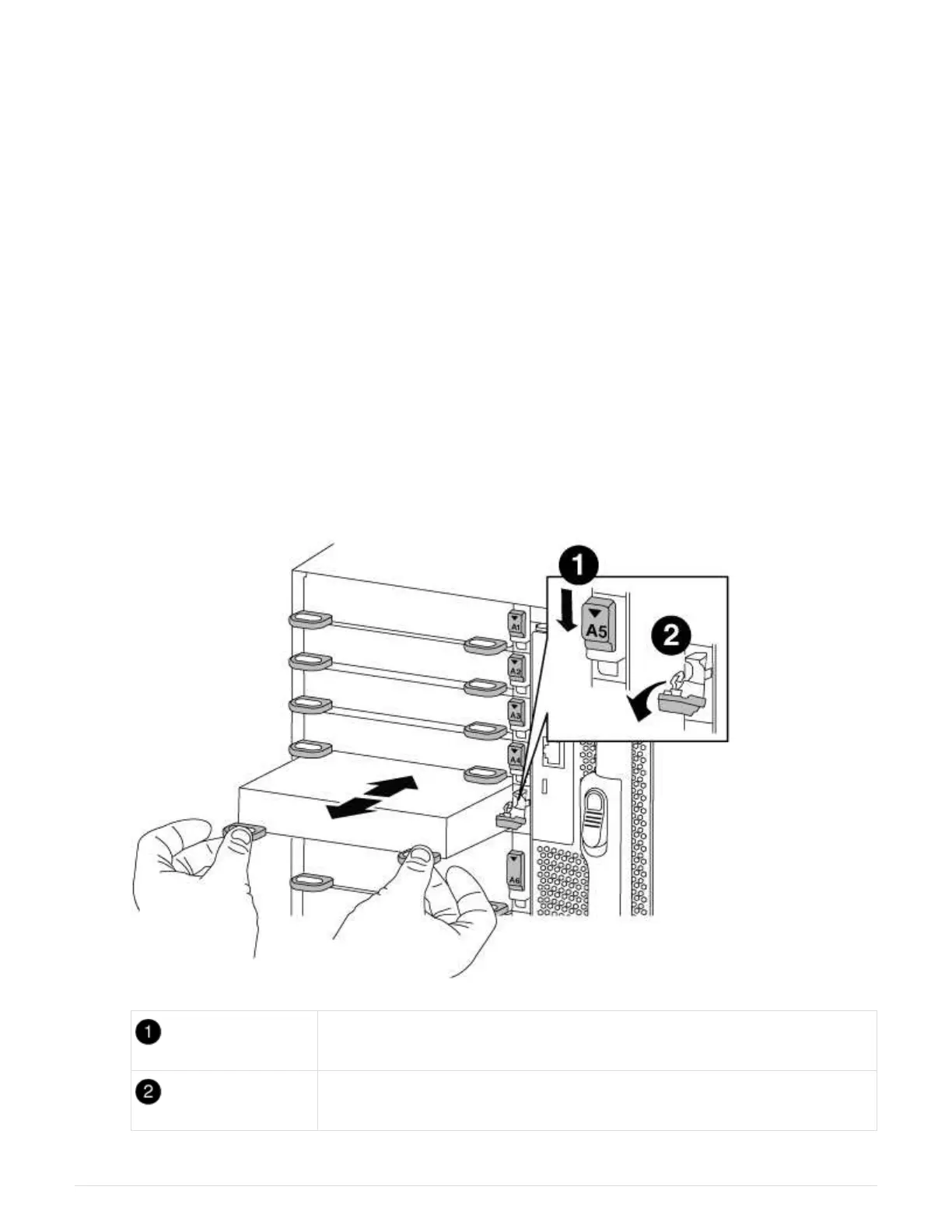
3. Remove the target I/O module from the chassis:
a. Depress the lettered and numbered cam button.
The cam button moves away from the chassis.
b. Rotate the cam latch down until it is in a horizontal position.
The I/O module disengages from the chassis and moves about 1/2 inch out of the I/O slot.
c. Remove the I/O module from the chassis by pulling on the pull tabs on the sides of the module face.
Make sure that you keep track of which slot the I/O module was in.
Lettered and numbered I/O cam latch
I/O cam latch completely unlocked
539



 To Next Page