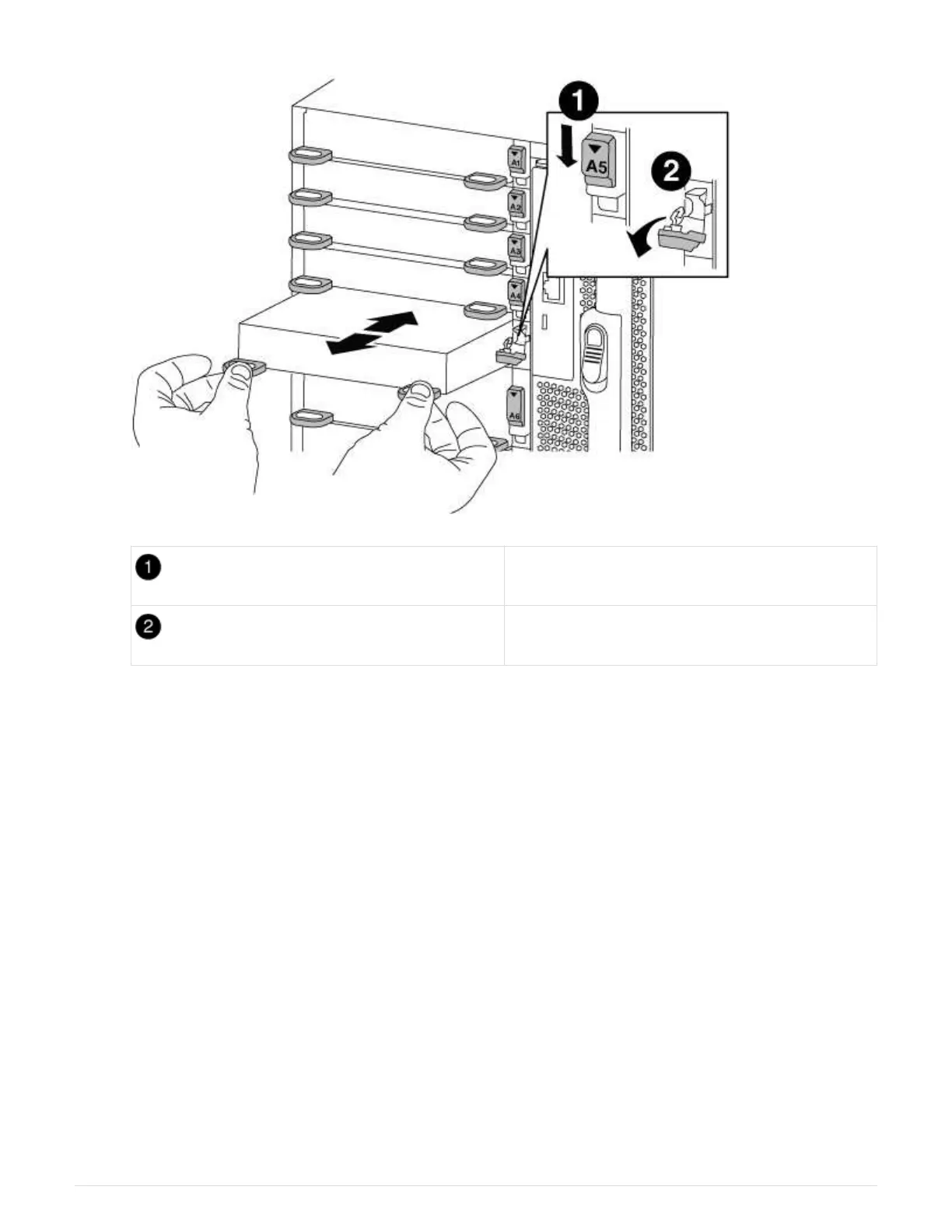
Lettered and numbered I/O cam latch
I/O cam latch completely unlocked
6. Install the X91148A module into slot 3:
a. Align the X91148A module with the edges of the slot.
b. Slide the X91148A module into the slot until the lettered and numbered I/O cam latch begins to engage
with the I/O cam pin.
c. Push the I/O cam latch all the way up to lock the module in place.
d. If you are installing a second X91148A module for storage, repeat the remove and install steps for the
module in slot 7.
7.
Reboot controller A:
boot_ontap
8.
Giveback the node from the partner node:
storage failover giveback -ofnode
target_node_name
9.
Enable automatic giveback if it was disabled:
storage failover modify -node local -auto
-giveback true
10. Repeat these steps for controller B.
11. Install and cable your NS224 shelves, as described in
Hot-adding an NS224 drive shelf.
575



 To Next Page