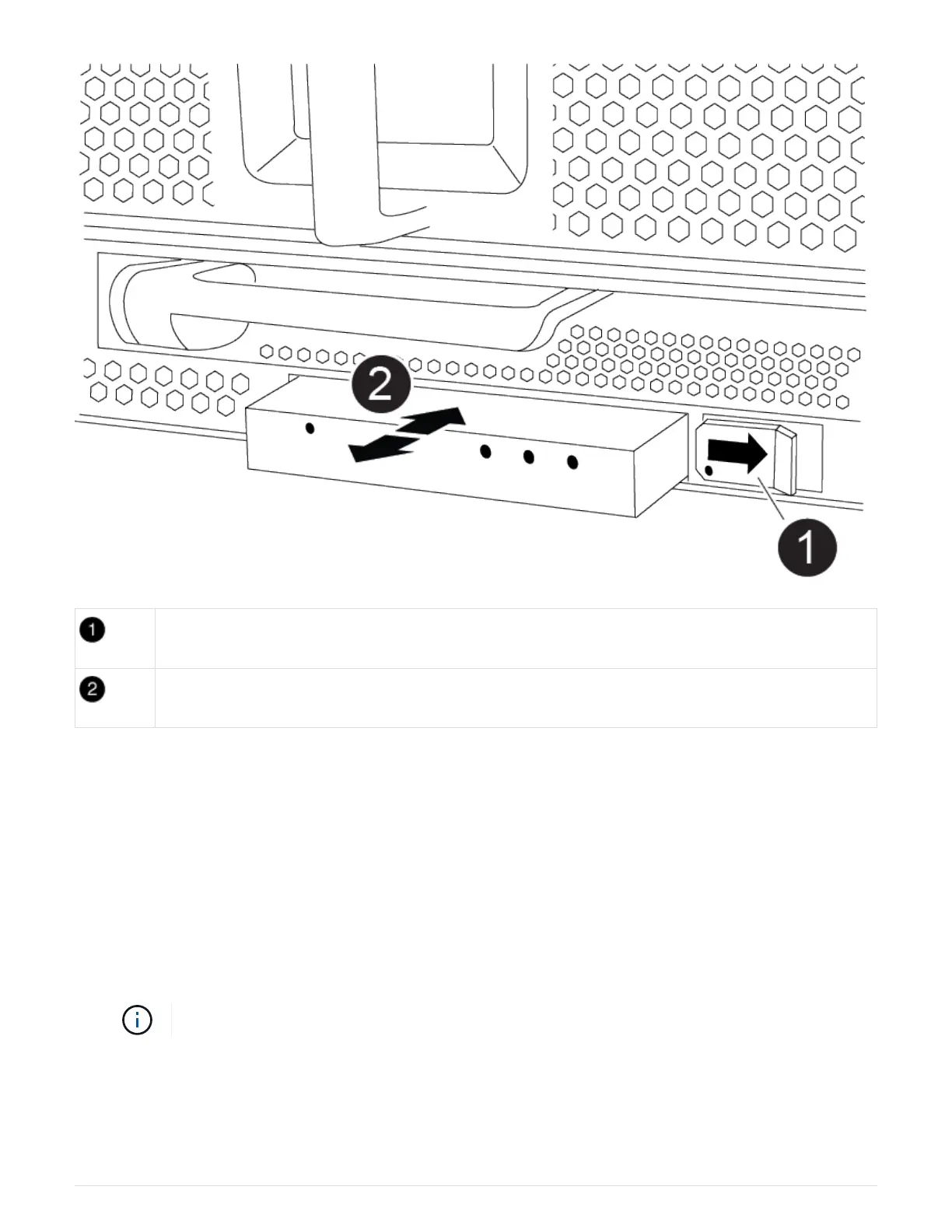
Eject the module.
Slide out of chassis.
1. Locate the USB LED module on the front of the impaired chassis, directly under the DCPM bays.
2. Press the black locking button on the right side of the module to release the module from the chassis, and
then slide it out of the impaired chassis.
3. Set the module aside in a safe place.
Step 7: Replace a chassis from within the equipment rack or system cabinet
You must remove the existing chassis from the equipment rack or system cabinet before you can install the
replacement chassis.
1. Remove the screws from the chassis mount points.
If the system is in a system cabinet, you might need to remove the rear tie-down bracket.
2. With the help of two or three people, slide the impaired chassis off the rack rails in a system cabinet or L
brackets in an equipment rack, and then set it aside.
3. If you are not already grounded, properly ground yourself.
735



 To Next Page