Step 3: Return the failed part to NetApp
Return the failed part to NetApp, as described in the RMA instructions shipped with the kit. See the
Part Return
& Replacements
page for further information.
Swap out a fan - AFF A900
To swap out a fan module without interrupting service, you must perform a specific
sequence of tasks.
It is a best practice to replace the power supply within two minutes of removing it from the
chassis. The system continues to function, but ONTAP sends messages to the console about
the degraded power supply until the power supply is replaced.
Steps
1. If you are not already grounded, properly ground yourself.
2. Remove the bezel (if necessary) with two hands, by grasping the openings on each side of the bezel, and
then pulling it toward you until the bezel releases from the ball studs on the chassis frame.
3. Identify the fan module that you must replace by checking the console error messages and looking at the
Attention LED on each fan module.
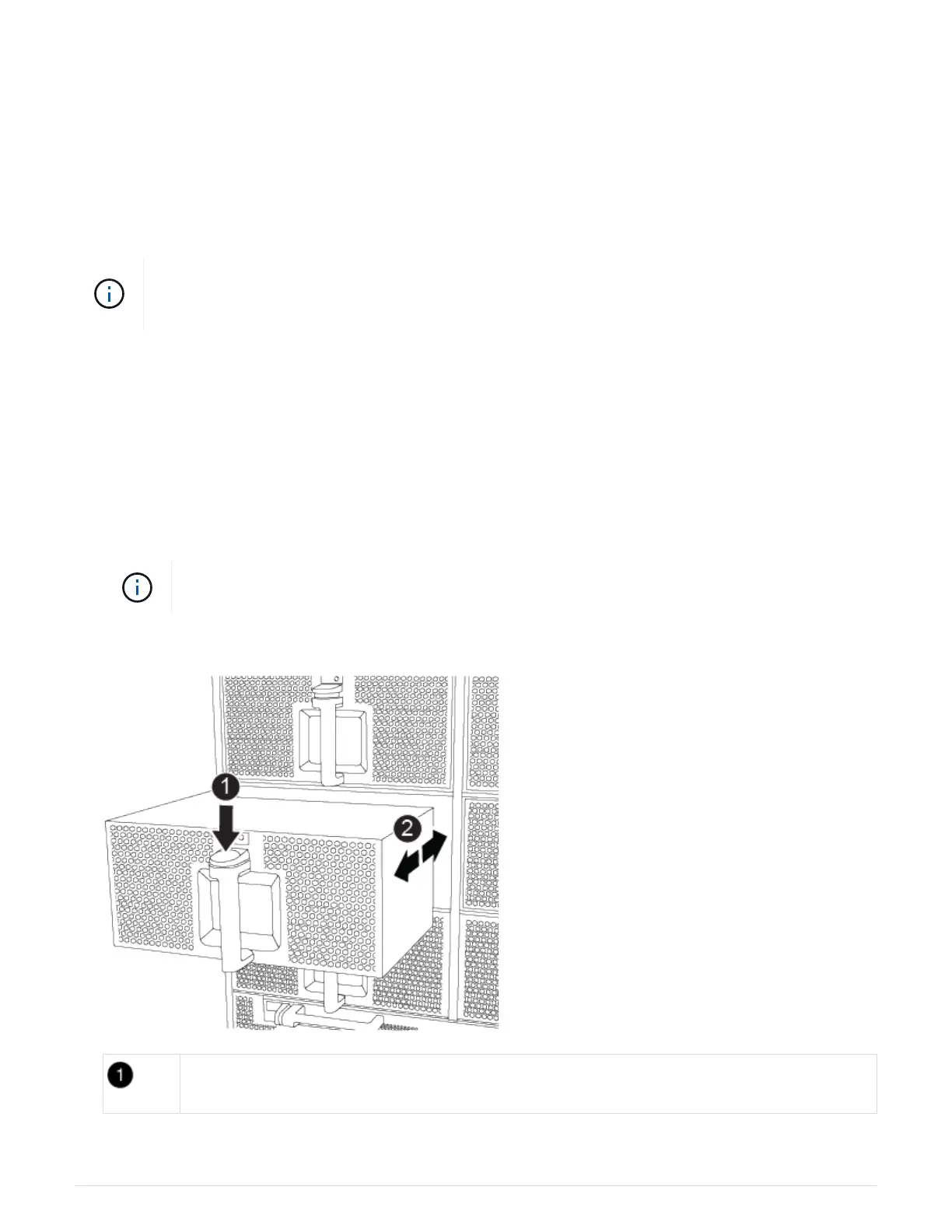
4. Press the terra cotta button on the fan module and pull the fan module straight out of the chassis, making
sure that you support it with your free hand.
The fan modules are short. Always support the bottom of the fan module with your free hand
so that it does not suddenly drop free from the chassis and injure you.
Animation - Remove/install fan
Terra cotta release button
776



 To Next Page