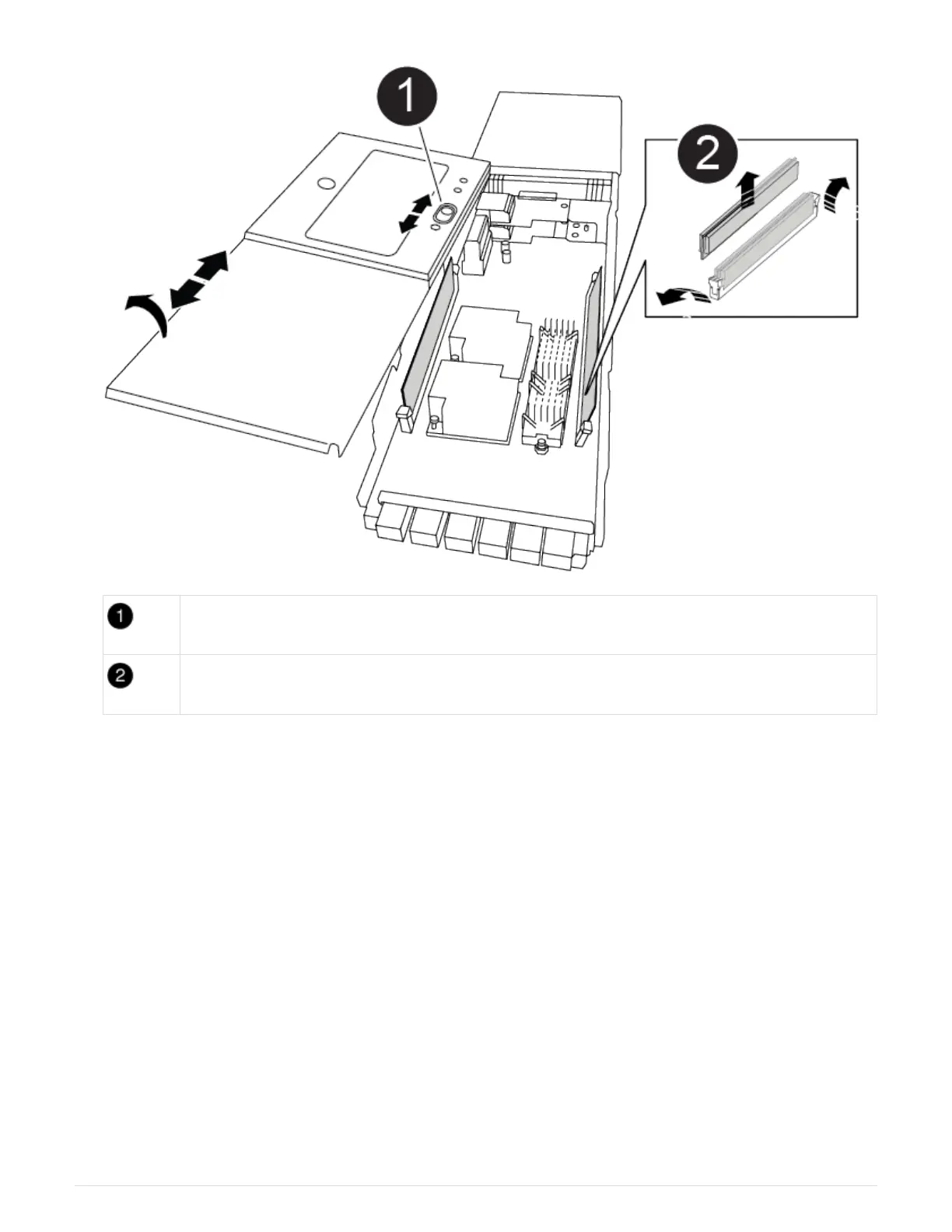
Cover locking button
DIMM and DIMM ejector tabs
4. Locate the DIMM to be replaced inside the NVRAM module, and then remove it by pressing down on the
DIMM locking tabs and lifting the DIMM out of the socket.
5. Install the replacement DIMM by aligning the DIMM with the socket and gently pushing the DIMM into the
socket until the locking tabs lock in place.
6. Close the cover on the module.
7. Install the NVRAM module into the chassis:
a. Align the module with the edges of the chassis opening in slot 6.
b. Gently slide the module into the slot until the lettered and numbered cam latch begins to engage with
the I/O cam pin, and then push the cam latch all the way up to lock the module in place.
Step 4: Reboot the controller after FRU replacement
After you replace the FRU, you must reboot the controller module.
1.
To boot ONTAP from the LOADER prompt, enter
bye.
789



 To Next Page