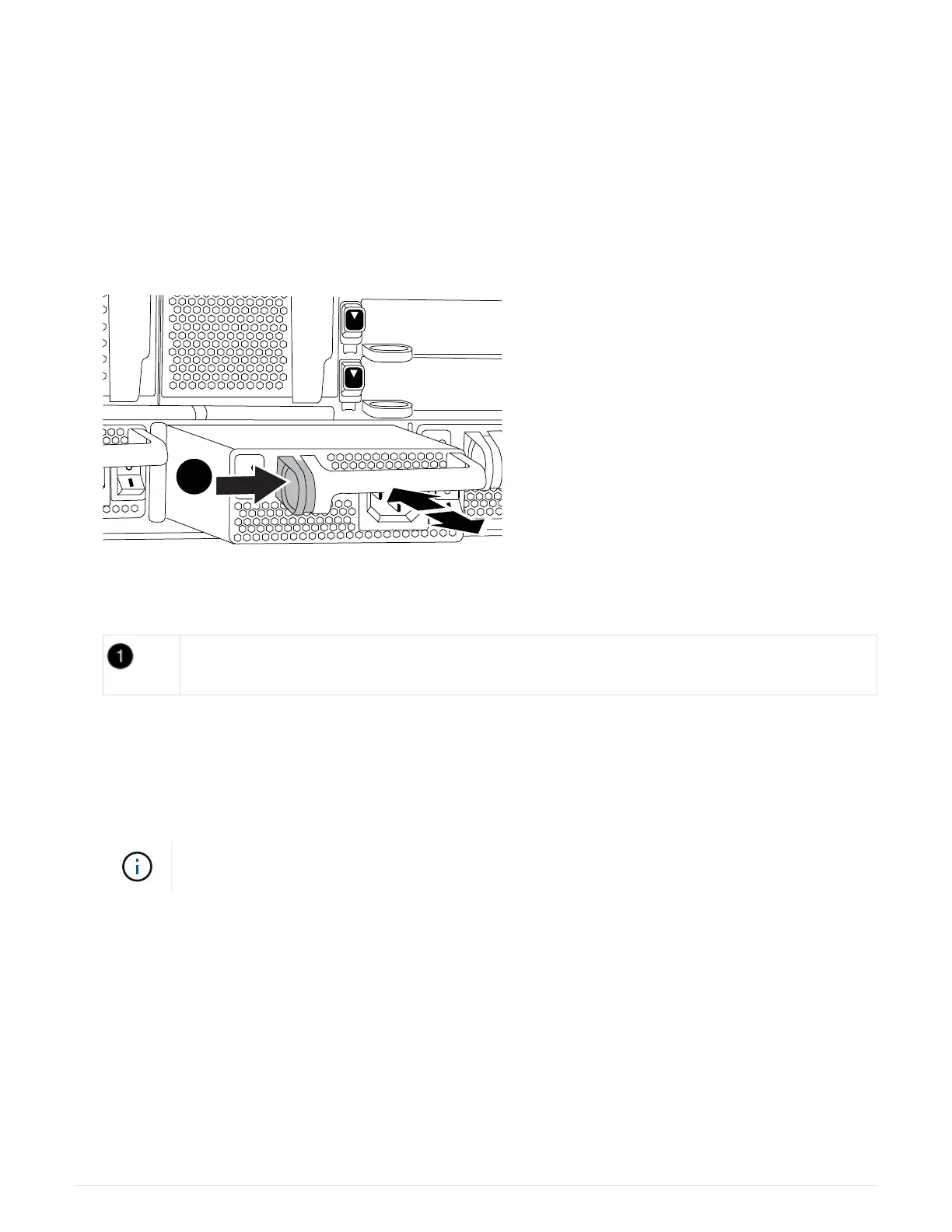
b. Open the power cable retainer, and then unplug the power cable from the power supply.
4. Press and hold the terra cotta button on the power supply handle, and then pull the power supply out of the
chassis.
CAUTION:
When removing a power supply, always use two hands to support its weight.
Animation - Remove/install PSU
Locking button
5. Make sure that the on/off switch of the new power supply is in the Off position.
6. Using both hands, support and align the edges of the power supply with the opening in the system chassis,
and then gently push the power supply into the chassis until it locks into place.
The power supplies are keyed and can only be installed one way.
Do not use excessive force when sliding the power supply into the system. You can damage
the connector.
7. Reconnect the power supply cabling:
a. Reconnect the power cable to the power supply.
b. Secure the power cable to the power supply using the power cable retainer.
Once power is restored to the power supply, the status LED should be green.
8. Turn on the power to the new power supply, and then verify the operation of the power supply activity
LEDs.
The green power LED lights when the PSU is fully inserted into the chassis and the amber attention LED
flashes initially, but turns off after a few moments.
797



 To Next Page