5. Remove the replacement battery from its package.
6. Align the battery module with the opening for the battery, and then gently push the battery into slot until it
locks into place.
7. Plug the battery plug back into the controller module, and then close the air duct.
Step 4: Install the controller module
After you have replaced the component in the controller module, you must reinstall the controller module into
the chassis, and then boot it.
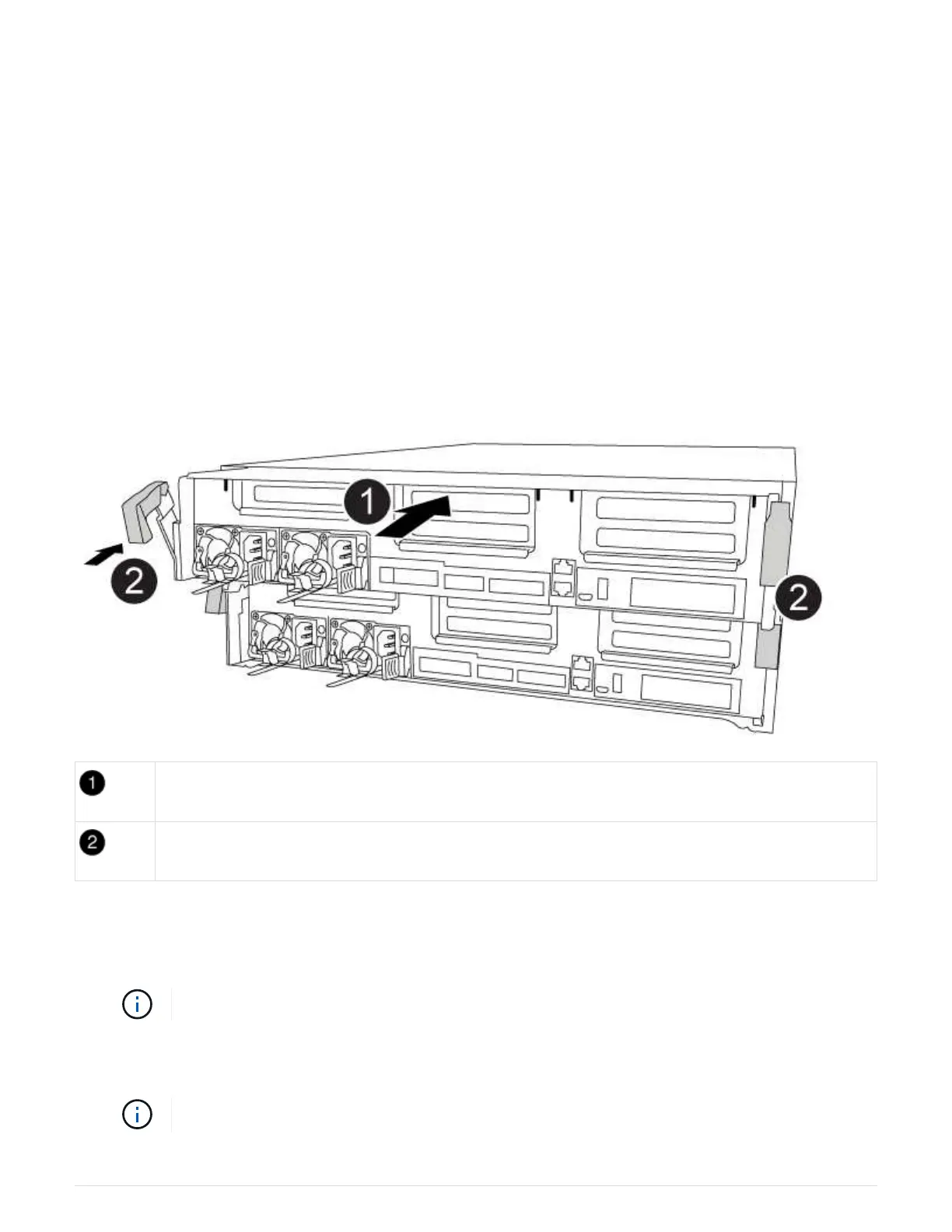
You can use the following animation, illustration, or the written steps to install the controller module in the
chassis.
Animation - Install the controller module
Controller module
Controller locking latches
1. If you have not already done so, close the air duct.
2. Align the end of the controller module with the opening in the chassis, and then gently push the controller
module halfway into the system.
Do not completely insert the controller module in the chassis until instructed to do so.
3. Cable the management and console ports only, so that you can access the system to perform the tasks in
the following sections.
You will connect the rest of the cables to the controller module later in this procedure.
77



 To Next Page