d. Visually inspect the DIMM to verify that it is evenly aligned and fully inserted into the socket.
e. Repeat these substeps for the remaining DIMMs.
5. Plug the NVDIMM battery into the motherboard.
Make sure that the plug locks down onto the controller module.
Step 7: Install the controller module
After all of the components have been moved from the impaired controller module to the replacement controller
module, you must install the replacement controller module into the chassis, and then boot it to Maintenance
mode.
1. If you have not already done so, close the air duct.
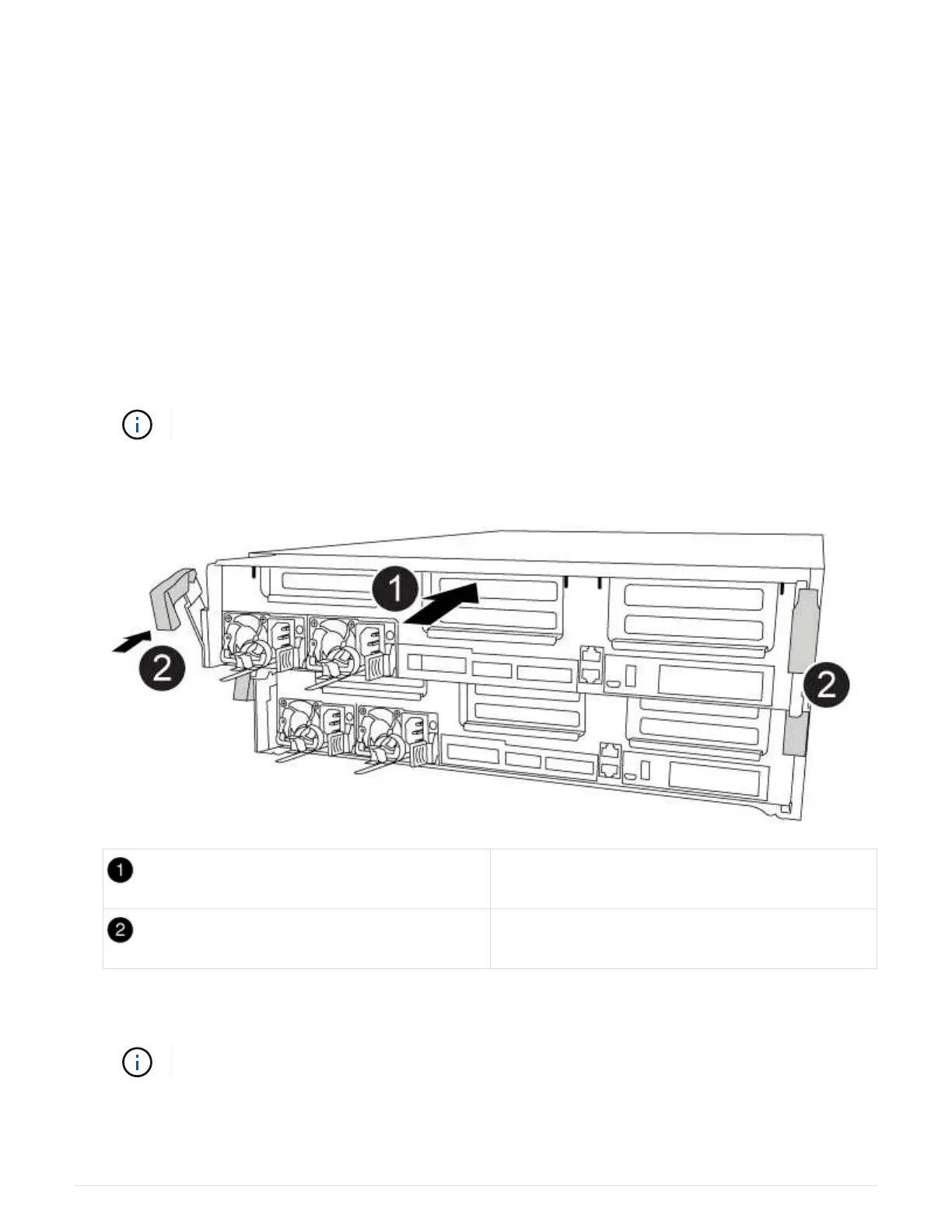
2. Align the end of the controller module with the opening in the chassis, and then gently push the controller
module halfway into the system.
Do not completely insert the controller module in the chassis until instructed to do so.
Slide controller into the chassis
Locking latches
3. Cable the management and console ports only, so that you can access the system to perform the tasks in
the following sections.
You will connect the rest of the cables to the controller module later in this procedure.
4. Complete the installation of the controller module:
a. Plug the power cord into the power supply, reinstall the power cable locking collar, and then connect
51



 To Next Page