1. Unplug any cabling associated with the target I/O module.
Make sure that you label the cables so that you know where they came from.
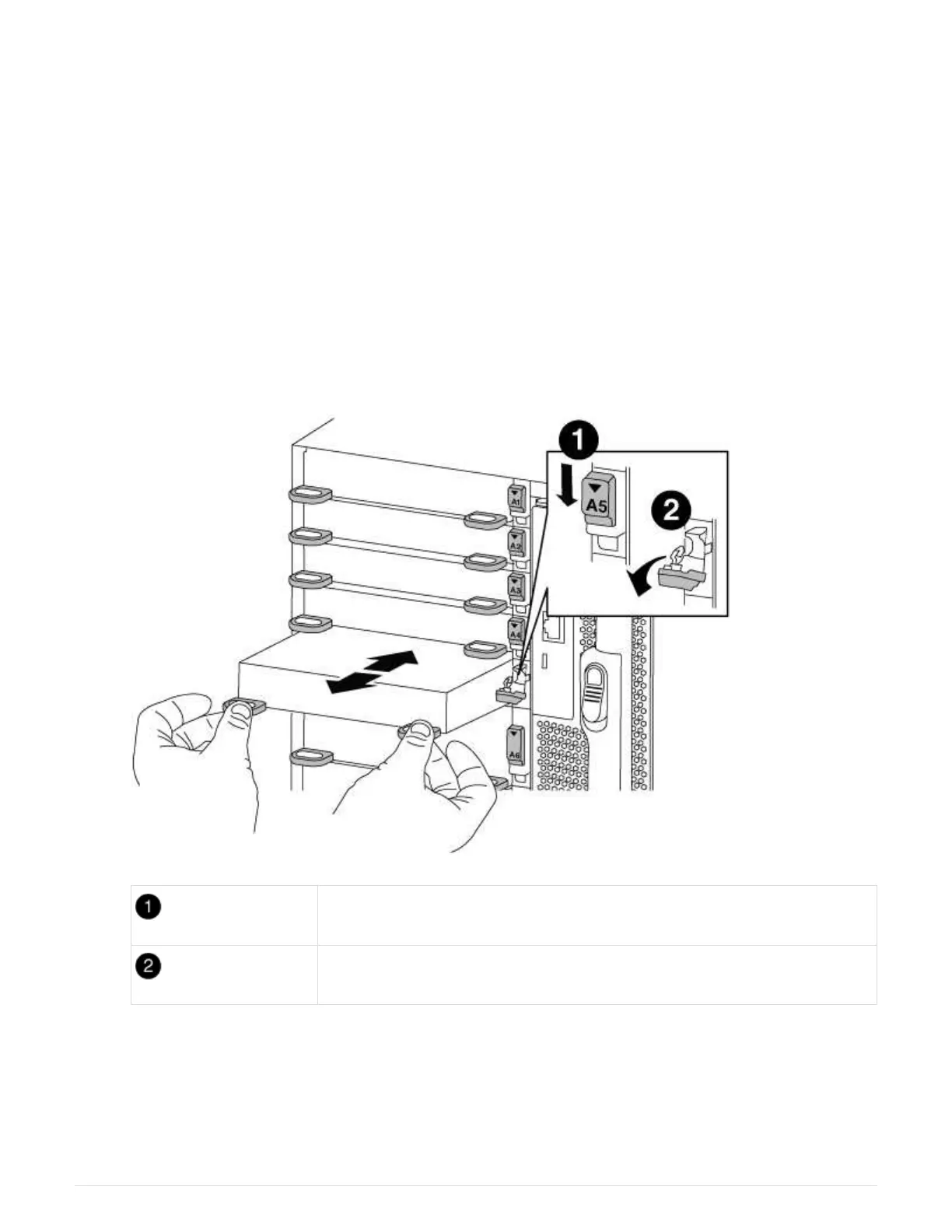
2. Remove the target I/O module from the chassis:
a. Depress the lettered and numbered cam button.
The cam button moves away from the chassis.
b. Rotate the cam latch down until it is in a horizontal position.
The I/O module disengages from the chassis and moves about 1/2 inch out of the I/O slot.
c. Remove the I/O module from the chassis by pulling on the pull tabs on the sides of the module face.
Make sure that you keep track of which slot the I/O module was in.
Lettered and numbered I/O cam latch
I/O cam latch completely unlocked
3. Set the I/O module aside.
4. Repeat the preceding step for the remaining I/O modules in the old chassis.
614



 To Next Page