Routine Use Way
1.Connected network camera
1).Network camera (IPC) connected to the power supply
2).Please wait after conection the power and IPC will check itself.
2.Install the client software
1). Make sure your phone connected to the Internet( WiFi/3G/4 )
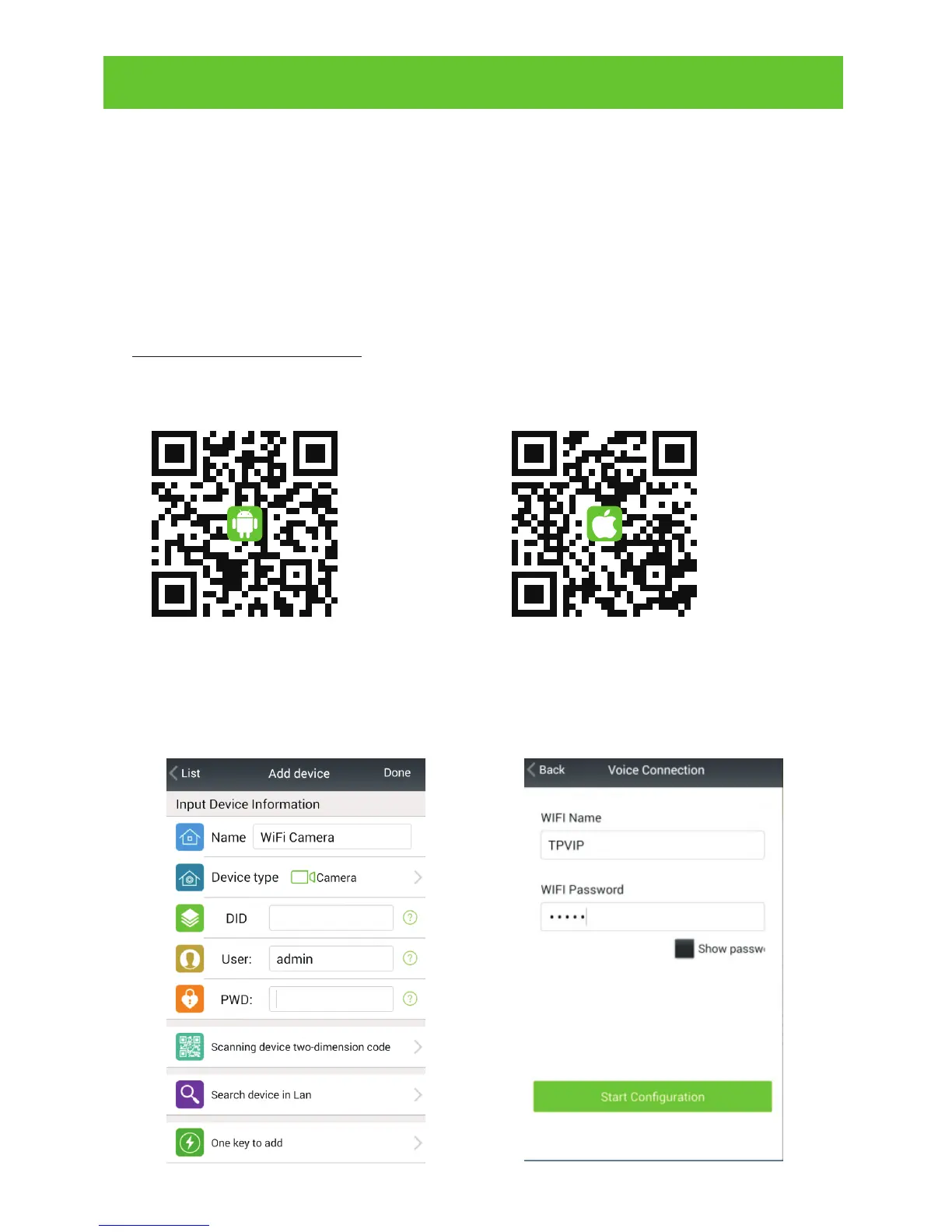
2). Android version of the smartphone, scan two-dimensional code to
download and install the application as shown in picture (1) or login
www.netcam360.com download.
3). Apple users please scan two-dimensional code to download or enter
the Apple store search "netcam" to download and install software.
Picture (3)
Picture (4)
4) one key connecting devicemobile phone connect with WIFI; Open
App, click"add device",as shown in picture (3) click"one key connect
device"; enter the WIFI password, the mobile phone alignment
the mic of device, as shown in picture (4) click"start configuration";
Picture (2)Picture (1)



 To Next Page