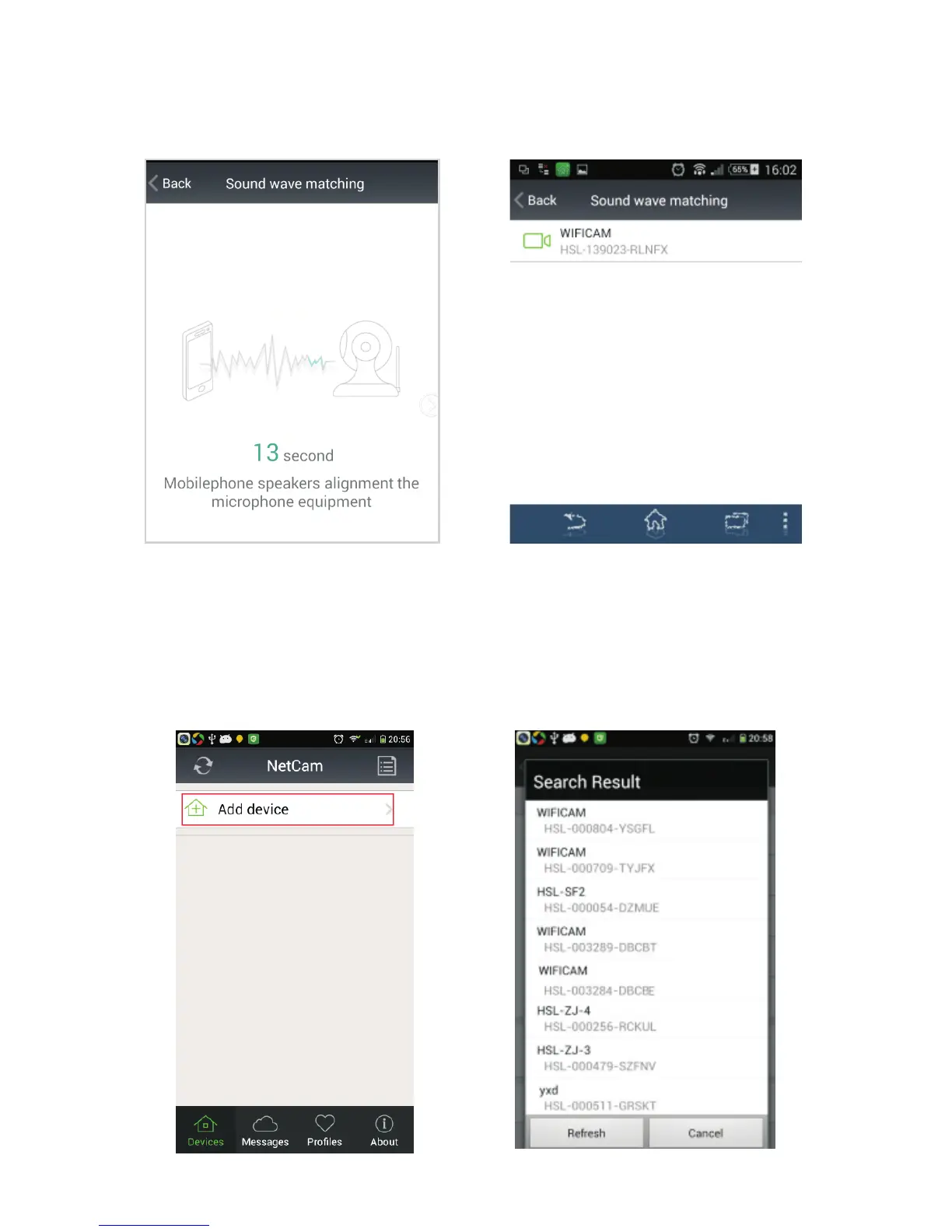
3. Access to the network camera ID (Android system mobile client
as an example):
1). Running mobile application, click
on“Add device”. Picture (7)
2). Through the LAN and search the
ID number to conect.Picture (8)
Picture (7) Picture (8)
as shown in picture (5) Then you will hear the sound of"code
successed", as shown in picture (6) then click on the ID to confirm
add it, then the WIFI connecting.
Picture (5)
Picture (6)



 To Next Page