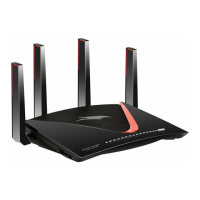
Figure 2. Top view
Table 1. LED descriptions
DescriptionLED and Button
Solid white: The router is ready.
Solid amber and then blinking amber: The Reset button was pressed. When
you first press the Reset button, the LED lights solid amber. After 5 seconds, the
LED turns blinking amber, and the router resets to factory defaults.
Off: Power is not supplied to the router.
Power LED1.
Solid white: The Internet connection is ready.
Solid amber: A cable was plugged into the port, but the Internet connection is
not yet ready.
Blinking: The port is sending or receiving traffic.
Off: No Ethernet cable is connected between the router and the modem.
Internet LED
2.
User Manual14Hardware Setup
Nighthawk WiFi 7 Tri-Band Router Model RS300, Model RS280, Model BE9300


 To Next Page
 Loading...