Gaming dashboard. Get an overview or your router settings.
Geo-filter. Reduce lag by setting a distance limit between you
and game servers or other players.
Quality of Service (QoS). Set bandwidth allocation for each
device and application connected to your router.
Gaming VPN client support. Protect your network identity
and prevent DDoS attacks.
Network monitor. Check bandwidth-hogging devices and
identify what causes lag.
Package Contents
Quick Start
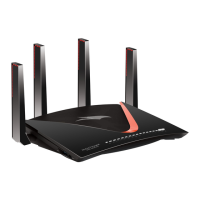
Gaming Router
Model XR500
Router
Power adapter
(varies by region)
Ethernet cable
VPN
Your router comes with the following pro gaming features. For more
information, visit
www.netgear.com/support/product/XR500
.
Pro Gaming Features
Antennas (4)

 Need help?
 General









 To Next Page