EasyManua.ls Logo

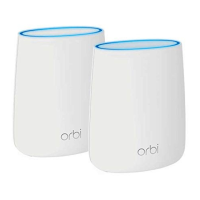
NETGEAR Orbi RBK22 - User Manual

NETGEAR Orbi RBK22
2 pages
Print Icon
To Next Page IconTo Next Page
Loading...
Support
Thank you for purchasing this NETGEAR
product. You can visit
www.netgear.com/support to register
your product, get help, access the latest
downloads and user manuals, and join
our community. We recommend that
you use only ofcial NETGEAR support
resources.
Si ce produit est vendu au Canada,
vous pouvez accéder à ce document en
français canadien à
http://downloadcenter.netgear.com/
other/.
(If this product is sold in Canada, you
can access this document in Canadian
French at
http://downloadcenter.netgear.com/
other/.)
For the current EU Declaration of
Conformity, visit
http://kb.netgear.com/11621.
For regulatory compliance information,
visit http://www.netgear.com/about/
regulatory/.
See the regulatory compliance
document before connecting the power
supply.
© NETGEAR, Inc., NETGEAR and the NETGEAR
Logo are trademarks of NETGEAR, Inc. Any
non‑NETGEAR trademarks are used for reference
purposes only.
NETGEAR INTL LTD
Building 3, University Technology Centre
Curraheen Road, Cork, Ireland
NETGEAR, Inc.
350 East Plumeria Drive
San Jose, CA 95134, USA
March 2018
Quick Reference
Model RBK22

Questions and Answers

  • R
    Raymond AndersenAug 25, 2025
    How to test the LAN path to my NETGEAR Wireless Router?
    • M
      Mary McneilAug 25, 2025
      To test the LAN path to your router, check the physical connections. For a wired connection, ensure that the numbered LAN port LED is lit for the port to which you are connected. Additionally, verify that the Ethernet card driver software and TCP/IP software are both installed and configured on your computer to ensure correct network configuration.
  • R
    Ryan LewisNov 9, 2025
    What to do if my NETGEAR Wireless Router cannot access the internet?
    • H
      hurleyamyNov 9, 2025
      First, check your network and Internet connections to ensure they are working. If you are connected to the router but still cannot access the Internet, it's possible that your router did not obtain an IP address from your Internet service provider (ISP). If '0.0.0.0' is displayed, this confirms the issue. Restarting your network can sometimes force your cable or DSL modem to recognize the router. Also, your ISP might require a login program, such as PPP over Ethernet (PPPoE). Contact your ISP to verify if they require a login. If a login is required, ensure the login name and password are set correctly. Your ISP might also check for your computer’s host name or MAC address. Assign the computer host name of your ISP account as the account name on the Internet Setup page or inform your ISP t...

NETGEAR Orbi RBK22 Specifications

General IconGeneral
Product NameNETGEAR Orbi RBK22
WiFi Standard802.11ac
Maximum Data Rate2.2 Gbps
MU-MIMOYes
Antenna TypeInternal
SecurityWPA2-PSK
ProcessorQuad-core
Memory512MB NAND Flash and 512MB RAM
TypeMesh WiFi System
Wi-Fi TechnologyTri-band
SpeedAC2200
Frequency Band2.4 GHz and 5 GHz
CoverageUp to 4, 000 sq. ft.
Ports1 WAN, 3 LAN
Operating Temperature0 to 40 °C
Operating Humidity90% maximum relative humidity, non-condensing

Related product manuals