Need help?
Do you have a question about the NETGEAR R6230 and is the answer not in the manual?
Guide to downloading and using the Nighthawk App for setup and management of your WiFi router.
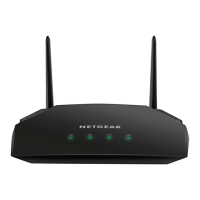
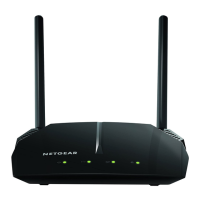
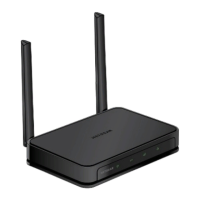
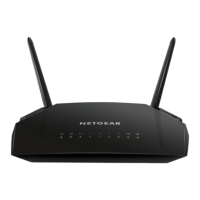
The NETGEAR AC1200 Smart WiFi Router, Model R6230, is a device designed to provide a robust and reliable wireless internet connection for your home or small office. This router acts as the central hub for your network, allowing multiple devices to connect to the internet simultaneously, whether through Wi-Fi or wired Ethernet connections. Its primary function is to receive an internet signal from your modem and then broadcast it as a wireless network, enabling your smartphones, tablets, computers, smart TVs, and other internet-enabled devices to access online content.
One of the key usage features of this router is its ease of setup and management, primarily facilitated by the NETGEAR Nighthawk App. This application, available for download on both the Apple App Store and Google Play, guides you through the initial installation process, making it straightforward even for users who may not be highly tech-savvy. The app simplifies the steps required to get your Wi-Fi network up and running, from connecting the physical cables to configuring the wireless settings. This app-driven approach significantly reduces the complexity often associated with router installations, providing a user-friendly experience from the very beginning.
Beyond the initial setup, the Nighthawk App offers a suite of features that enhance the daily usage and management of your network. Through the app, you can easily view a list of all devices currently connected to your network. This feature is particularly useful for monitoring who is using your Wi-Fi, identifying any unauthorized connections, or simply keeping track of your own devices. Knowing which devices are connected can help you manage bandwidth allocation or troubleshoot connection issues more effectively.
Another important usage feature accessible through the Nighthawk App is the ability to change your Wi-Fi network name (SSID) and password. While the router comes with preset wireless settings, including a unique network name and password displayed on a sticker on the device, the app allows you to customize these credentials to something more memorable or secure. Regularly changing your password is a good security practice, and the app makes this process simple and convenient. Customizing your network name can also make it easier to identify your network among others in a crowded Wi-Fi environment.
The Nighthawk App also includes a feature to test your router's internet connection speeds. This is a valuable tool for monitoring the performance of your internet service. If you suspect your internet is running slow, or if you simply want to verify that you are getting the speeds you pay for from your internet service provider, this in-app speed test provides quick and accessible diagnostic information. This helps you to identify whether any performance issues are related to your router, your internet service, or other factors.
For physical connections, the router includes multiple Ethernet ports, allowing you to connect devices such as desktop computers, gaming consoles, or smart TVs directly to the network via a wired connection. A wired connection typically offers greater stability and speed compared to Wi-Fi, which can be beneficial for activities that require high bandwidth or low latency, such as online gaming or streaming high-definition video. The package includes an Ethernet cable to facilitate these connections.
The router is powered by an external power adapter, which is included in the package. The design of the power adapter may vary by region, but its function remains consistent: to provide the necessary electrical power for the router to operate.
Regarding maintenance features, while the Nighthawk App provides tools for monitoring and managing your network, the device itself is designed for relatively low maintenance. The physical design of the router, with its external antennas, is intended to optimize Wi-Fi signal coverage and strength. The device's firmware, which is the internal software that controls its operations, can typically be updated to improve performance, add new features, or address security vulnerabilities. While the manual does not explicitly detail firmware update procedures, modern NETGEAR routers often support automatic or app-guided firmware updates, simplifying this maintenance task for users.
The regulatory compliance information, including the EU Declaration of Conformity, is available online, emphasizing NETGEAR's commitment to meeting international standards. Users are advised to review this information before connecting the power supply, ensuring awareness of the product's compliance with safety and environmental regulations. This information is accessible through the provided URL, allowing users to stay informed about the product's adherence to various standards.
In summary, the NETGEAR AC1200 Smart WiFi Router, Model R6230, is a user-friendly and feature-rich device designed to provide a seamless internet experience. Its primary function is to create and manage a wireless network, while its usage features, particularly those integrated with the Nighthawk App, empower users with easy setup, network monitoring, customization of Wi-Fi settings, and performance testing. The inclusion of wired Ethernet ports offers versatile connectivity options, and its design supports straightforward maintenance, making it a practical choice for establishing a reliable home or small office network.
 General
| WiFi Technology | 802.11ac |
|---|---|
| WiFi Range | Medium to large homes |
| Processor | 880 MHz processor |
| Antenna | 2 external antennas |
| Number of Ethernet Ports | 4 (10/100/1000 Mbps) |
| USB Ports | 1 x USB 2.0 |
| Memory | 128 MB flash and 128 MB RAM |
| Wi-Fi Band | Dual Band 2.4GHz & 5GHz |
| Security | WPA/WPA2 |
| WiFi Performance | AC1200 (300 + 900 Mbps) |

 To Next Page