ADSL2+ Modem Router User Manual
48
Click Delete/Disable、Enable to make your operation get corresponding effect.
4.3.2.3 ALG:
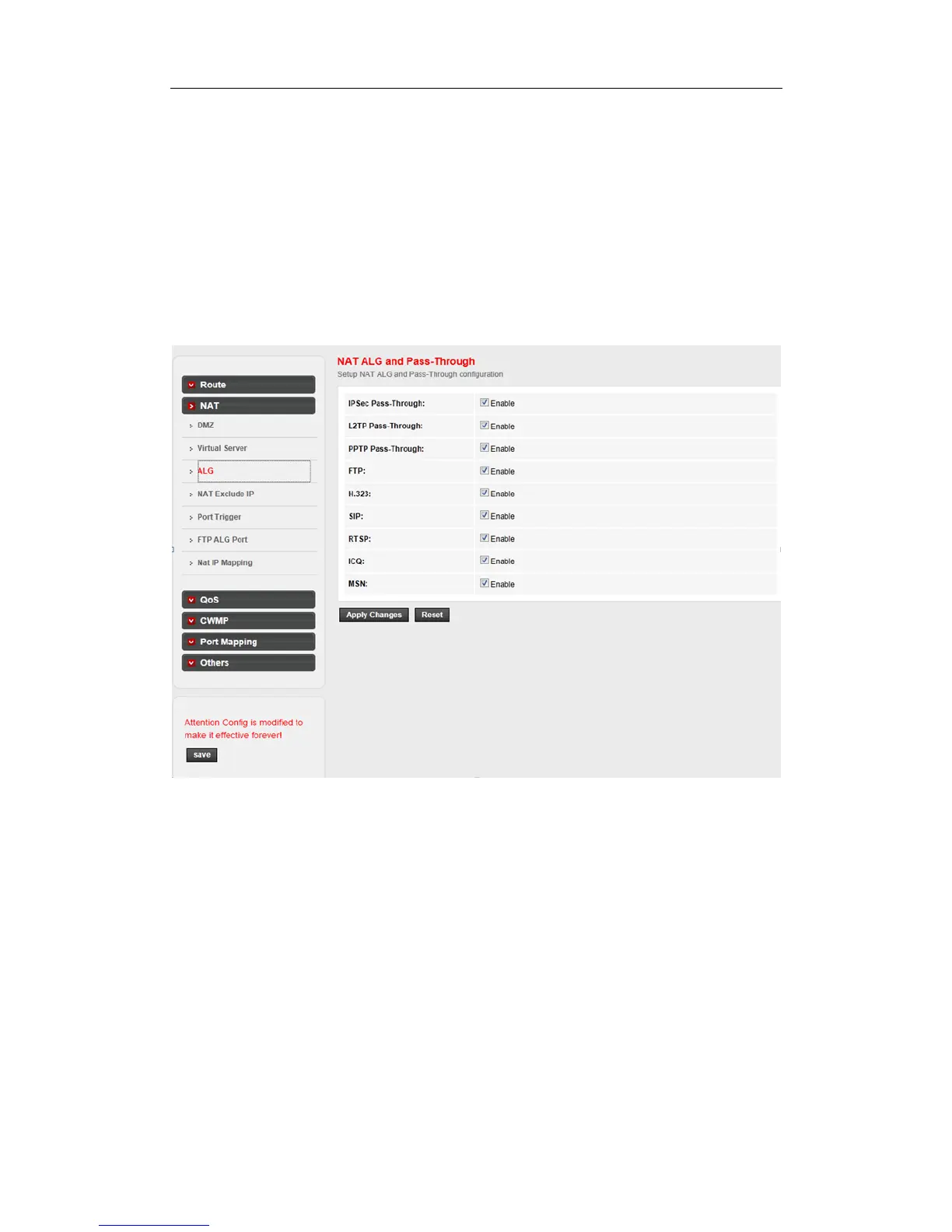
The router supports several NAT ALG and pass-Through function.
Choose Advanced->NAT->ALG page, you can configure the ALG settings. Here you can
enable or disable the ALG or pass-through function for each application.
4.3.2.4 NAT EXCLUDE IP:
Click NAT Exclude IP in the left pane, the page shown in the following figure appears. In the page,
you can configure some source IP addresses which use the purge route mode when accessing
internet through the specified interface.



 To Next Page