Wireless-N PCI Adapter Quick Installation Guide
9
5 Connecting to a wireless network
Use the Ralink WLAN Utility to check the link information, search for available wireless
networks, or create profiles that hold different configuration settings. You can double-click
the icon on your desktop to run it. Another way to start the Configuration Utility is to click
Start> All Programs> Ralink Wireless> Ralink Wireless Utility.
You can use the following method to connect to a wireless network
Ø Double click the icon on the desk-top
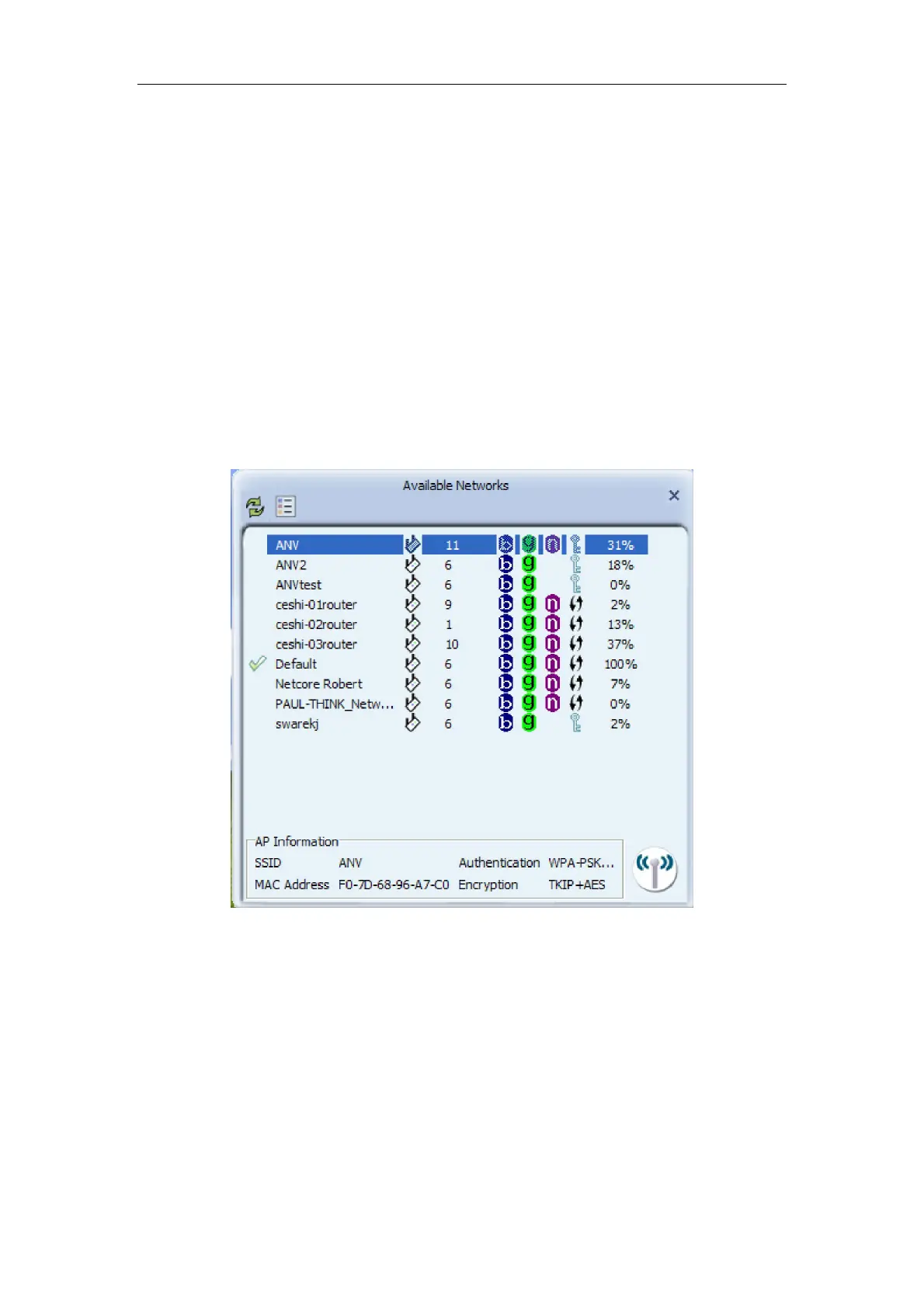
Ø Select Available Network tab and click Refresh button to refresh current available
wireless network, you can double click it after highlighting a wireless network you want
to connect
Figure 5-1
Ø The wireless network properties are as follows. If it is encrypted, you need to enter
Network Key and confirm if and then click OK.



 To Next Page