Operating the Product
The appliance has two operating modes including “Default
mode” and “Custom mode”.
1. Default mode
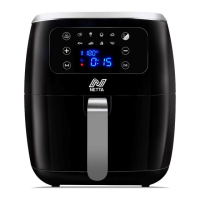
Connect the appliance to the power source, press the Power
button “ ” and the appliance enters into the “Default mode”,
then press the Menu button “ ” to select your desired menu,
and the icon of selected menu will light up. Then press the
Start/Stop button “ ” and the appliance will start working
according to the selected menu.
2. Custom mode
Connect the appliance to the power source, press the Power
button “ ” and then press the Menu button “ ” to select your
desired menu. Then press the Temperature/Time button “ ”.
When the display indicates “ ”, press “ ” or “ ” to
adjust the temperature. After you finish setting the temperature,
press Temperature/Time button “ ” again to enter into the time-
setting mode, then press “ ” or “ ” to adjust the time. After
you have finished setting the time, press the Start/Stop button
“ ” and the appliance will start working according to the
selected menu with new temperature and time.


 To Next Page