EasyManua.ls Logo

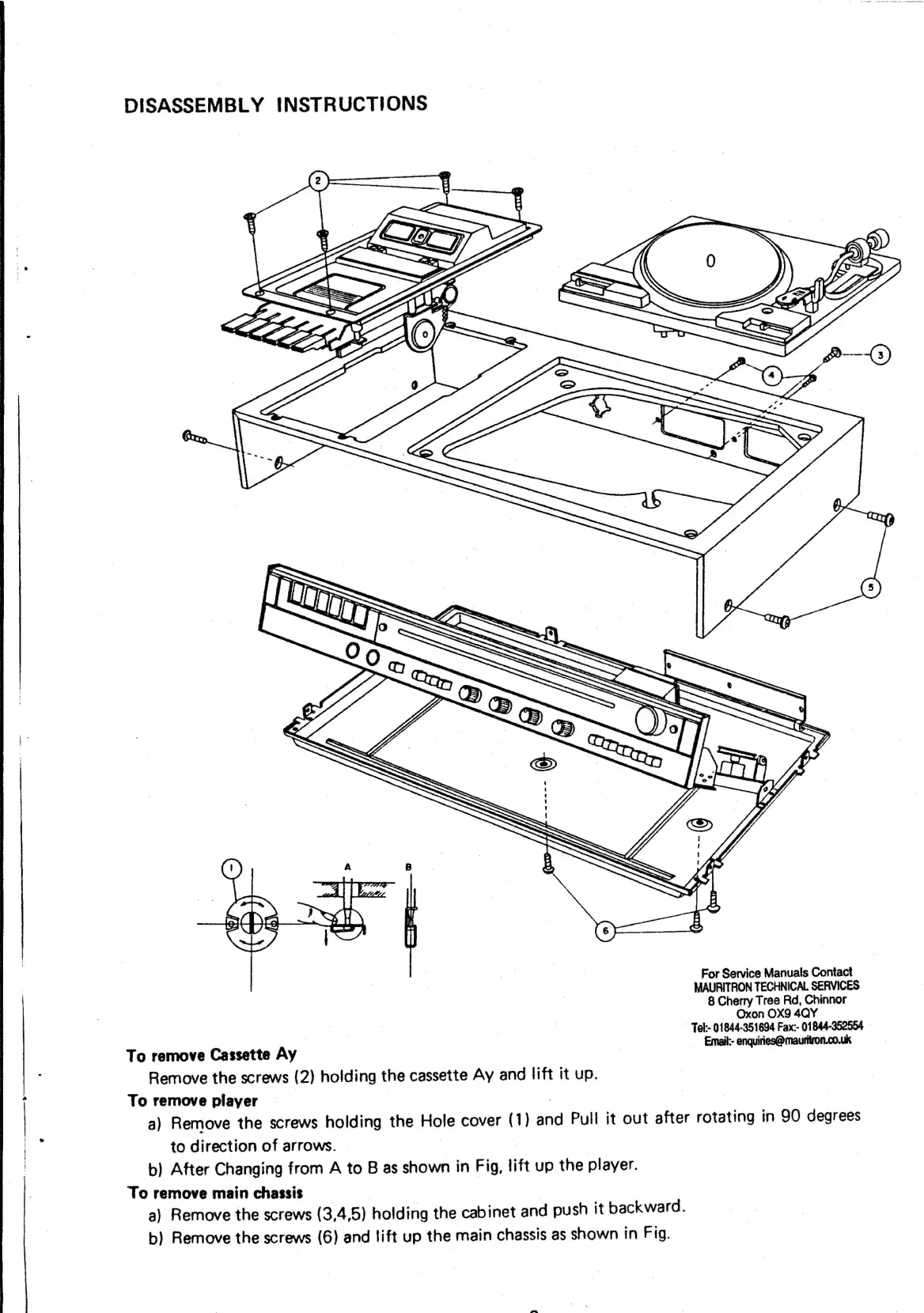
network 600 - Disassembly Instructions; Remove Cassette Unit; Remove Turntable Player; Remove Main Chassis

Default Icon
29 pages
Print Icon
To Next Page IconTo Next Page
To Previous Page IconTo Previous Page
Loading...
DISASSEMBLY
INSTRUCTIONS
For
Service
Manuals
Contact
MAURITRON
TECHNICAL
SERVICES
8
Cherry
Tree
Rd,
Chinnor
Oxon
OX9
4QY
| -
Tek:-
01844-351604
Fax:-
01844-352554
To
remove
Cassette
Ay
_
Emel
enquidectoriautvon.couk
Remove
the
screws
(2)
holding
the
cassette
Ay
and
lift
it
up.
To
remove
player
|
|
7
|
a)
Remove
the
screws
holding
the
Hole
cover
(1)
and
Pull
it
out
after
rotating
in
90
degrees
to
direction
of
arrows.
|
b)
After
Changing
from
A
to
B
as
shown
in
Fig,
lift
up
the
player.
To
remove
main
chassis
ee
a)
Remove
the
screws
(3,4,5)
holding
the
cabinet
and
push
it
backward.
b)
Remove
the
screws
(6)
and
lift
up
the
main
chassis
as
shown
in
Fig.