EasyManua.ls Logo

Neunaber Illumine - User Manual

Neunaber Illumine
57 pages
Print Icon
To Next Page IconTo Next Page
Loading...
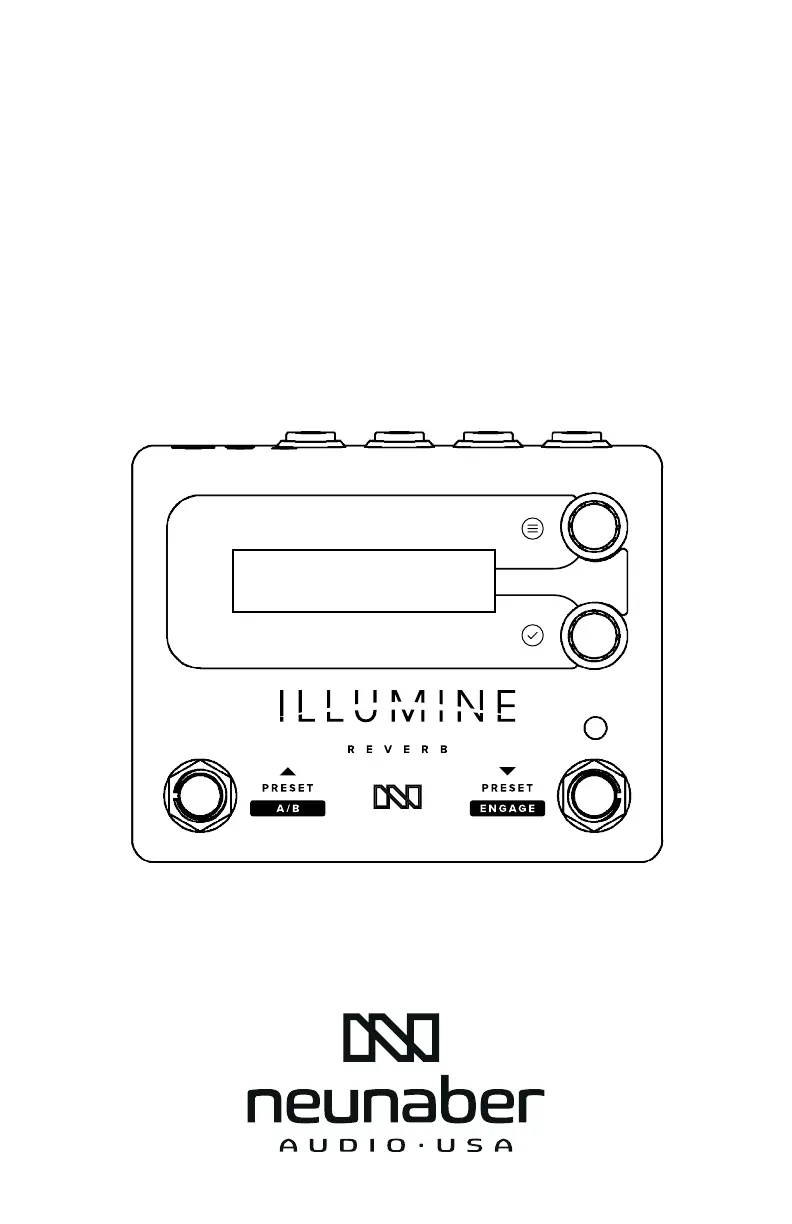
ILLUMINE REVERB
USER GUIDE
v. 1.0.1

Questions and Answers

Summary

Key Features

Quick Start

Connectors

Power

Details about power supply requirements and connector type.

Grounding

Information on connecting the ground screw for chassis ground.

Signal Input; Output

Explains mono/stereo connections and headphone output usage.

Expression Input; Output

Describes connecting expression pedals via TRS input.

User Interface

Knobs

Explains the function of the top and bottom control knobs.

Bottom Knob

Details how the bottom knob changes parameters or enters menus.

Footswitches

Actuation

Explains how press and long-press functions are triggered.

Presets & Editing

Changed Preset Flag

Describes the flag indicating unsaved preset changes.

Save Menu

Details the options for saving the current preset.

Edit the Preset Name

Explains how to change the name of a preset.

Factory Presets

Lists and describes the 50 factory presets available on the device.

Footswitch Recalls;Skips Preset

Determines how presets are recalled or skipped using the footswitch.

Setup Menus

Guides on navigating and interacting with the device's setup menus.

Effect

The Reverb Effects

Details the 17 stereo reverb algorithms available on the ILLUMINE pedal.

Options

Explains various tweakable parameters affecting reverb algorithms.

Parameters

Mix

Explains the Mix control for balancing dry and wet signals.

Effect-Dependent Parameters

Lists parameters that vary based on the selected reverb effect.

Level

Describes the Level control for adjusting overall output volume.

Expression Control Engine

Expression Controller Inputs

Details the types of controllers that can be connected to the pedal.

A;B Footswitch

Explains how the built-in A/B footswitch functions as an expression controller.

Expression Pedal

Instructions for connecting and using an external expression pedal.

Volume Pedal

Instructions for connecting and using a passive volume pedal.

MIDI Control Change

How to use MIDI CC messages for expression control.

Expression Controller Setup

Steps for configuring expression controller input and behavior.

Nomenclature

Explains naming conventions for expression controller settings.

A;B | Exp Setup

Configuration specific to A/B or expression pedal setups.

Adding Parameters to Expression Control

How to assign parameters to be controlled by an expression source.

Selecting the Midpoint

Guides on setting the midpoint for expression control curves.

A B and A B Time

Setting transition times for A/B footswitch expression control.

Global Setup

Cal Pedal Screens

Calibration procedures for expression and volume pedals.

Cal Pedal Heel

Procedure to set the minimum (heel down) value for pedals.

Cal Pedal Toe

Procedure to set the maximum (toe down) value for pedals.

Cal Pedal Middle

Calibrating the middle sweep point for volume pedals.

Exp Source

Selection of the expression controller input type.

MIDI Setup

Details on configuring MIDI channels and modes.

Bypass Type & Trails

Options for true bypass, buffered bypass, and reverb tails.

Effect Loop Type

Setting the pedal to operate in a serial or parallel effects loop.

Right Footswitch

Configuration options for the right-side footswitch function.

Preset Switching

How preset changes are triggered by knobs or footswitches.

Mix Sum Type

Determines how dry and effect signals are summed at different Mix levels.

Gain Structure

Optimizes the pedal's gain structure for system noise and headroom.

FX Sidechain In

Blends input signals for the effect processor sidechain.

Noise Reduction

Controls the built-in noise reduction circuitry.

User Interface Options

Customizing display brightness, text justification, and value display.

Preset Manager Software

Connection

Steps for connecting the pedal to a computer via USB-MIDI.

User Interface

Overview of the Preset Manager software's interface and functions.

Troubleshooting Guide

Condition

Lists common issues, their causes, and solutions.

Specifications

Legal

Neunaber Illumine Specifications

General IconGeneral
TypeMulti-Effects Processor
StereoYes
TechnologyDigital
Input Impedance1 MΩ
Expression Pedal InputYes
BypassBuffered or True Bypass
MIDIYes
Power Supply9V DC
Inputs2 x 1/4"
Outputs2 x 1/4"
USBYes
Effect TypesReverb
AlgorithmsMultiple (reverb, delay, modulation, etc.)
Output Impedance100 Ohm

Related product manuals