
 Need help?
Do you have a question about the NeuWave Medical Certus 140 and is the answer not in the manual?
Describes the Certus 140 as a 2.45 GHz ablation system using microwave energy.
Specifies the intended uses and contraindications for the Certus 140 system.
Explains text formatting and conventions used within the manual for clarity.
Lists and defines symbols found on the Certus 140 system and its accessories.
Lists critical warnings regarding patient safety, device operation, and potential hazards.
Provides cautions related to equipment handling, maintenance, and potential damage.
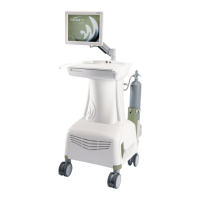
Describes the touch-screen display mounted on a moveable arm for user interaction.
Details the components of the system cart, including power, cooling, and CO2 cylinder storage.
Explains the function and location of USB ports for data download and footswitch connection.
Describes the Power Distribution Module (PDM) and its role in connecting probes efficiently.
Provides step-by-step instructions for connecting the PDM cables to the system cart.
Details how to connect the PDM to a CT table rail mount for percutaneous procedures.
Explains the process of mounting the PDM to a surgical table rail.
Guides on connecting the system to a hospital-grade AC power outlet.
Instructions for installing and connecting CO2 cylinders for the cooling system.
Details how to connect the footswitch to the system's USB port.
Guidance on placing the system in the correct position for a procedure.
Explains the procedure for powering on the Certus 140 system and its boot-up process.
Describes common features of the system's user interface, including the information bar.
Explains the icons used to display the status of the CO2 coolant tanks.
Details how to access and interpret delivery reports and system messages.
Explains the functions of the Tools tab, including system logs and procedure history.
Describes how to select between Ablation and Surgical modes and their interface layouts.
Provides information on the different types of ablation probes and their use.
Guides on selecting the appropriate ablation probe model based on tissue type and use.
Details the procedure for placing probes and performing ablations in percutaneous use.
Explains how to use the system in Surgical Mode, including footswitch activation.
Describes the technique for planar coagulation using one or two probes.
Instructions on how to properly conclude an ongoing procedure.
Details the steps for safely powering down the Certus 140 system.
Guidance on the proper disposal of used ablation probes according to safety protocols.
Steps for safely disconnecting the CO2 cylinders from the system.
Instructions for disconnecting and storing the PDM unit.
Provides guidelines for cleaning the system cart and its components.
Information on the proper disposal of the Certus 140 system.
Instructions for adjusting the monitor arm tension for optimal positioning.
Explains how the system displays informational messages and alarms to guide actions.
Provides a high-level overview of the system's components and capabilities.
Explains the function and principles of the CO2-based cooling system.
Details the design and functionality of the triaxial antenna probes.
Lists the physical dimensions and weight of the Certus 140 system.
Outlines the temperature, humidity, and altitude conditions for operation and storage.
Details the electrical operating range, fuses, and safety classifications.
Provides information on electromagnetic compatibility (EMC) requirements and guidance.
Outlines the terms and conditions for using the embedded Windows software.
Specifies the warranty periods and conditions for the Certus 140 system.
 General
| Category | Medical Equipment |
|---|---|
| Input Power | 100-240 VAC, 50/60 Hz |
| Device Type | Ablation System |
| Ablation Modes | Power Control, Temperature Control |
| Cooling System | Closed-loop water cooling |
| Display | Touchscreen |
| Storage Temperature | -20°C to 50°C (-4°F to 122°F) |

 To Next Page