Need help?
Do you have a question about the Nevir NVR-7201-42HD-N and is the answer not in the manual?
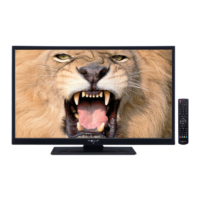
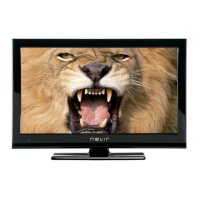
Details the comprehensive features of the LCD TV, including connectivity and functions.
Guidance on preparing the TV for use, including ventilation requirements.
Essential safety instructions for power sources and handling the power cord.
Precautions regarding moisture, ventilation, heat, flames, and lightning.
Guidelines for cleaning, professional servicing, and using manufacturer-specified parts.
Instructions for disconnecting the device, headphone safety, and responsible waste disposal.
Ensures the device is securely attached to the wall according to installation instructions.
Describes LED screen technology and warns against leaving TV unattended.
Details connection requirements for TV distribution systems and earthing.
Information on Dolby Laboratories licensing and trademark acknowledgments.
Checking package contents and advice on energy saving for environmental protection.
Instructions for activating and using the Power Save Mode for reduced energy consumption.
Guidance on seeking professional service and contacting dealers for repairs.
Detailed breakdown of all remote control buttons and their functions for TV operation.
Identifies and explains the function of the physical buttons on the TV set.
Details the various input/output connectors located on the back of the TV.
Explains the purpose of side connectors like CI Slot, USB, and headphone jack.
Guidance on connecting aerial or cable TV to the AERIAL INPUT socket.
Guidance on connecting USB drives and memory sticks for file playback and recording.
Important warnings about safely plugging/unplugging USB devices to prevent damage.
Detailed steps and requirements for recording programmes using a USB disk.
Instructions for connecting a PC to the TV for screen display via VGA or HDMI.
Guidance on connecting DVD players via HDMI, Component, or SCART sockets.
Connecting camcorders, headphones, or SPDIF devices using side and other connectors.
Instructions for inserting batteries into the remote control.
Steps for powering the TV on from standby and switching it off.
Explains standby messages and how to switch between different input sources.
Guides on using physical buttons for volume, program selection, and menu access.
Instructions for adjusting the volume level using the remote control buttons.
Methods for selecting previous/next programmes and direct channel access.
How to view and navigate the EPG to find programme information and schedule.
Steps for recording programmes via EPG and managing timers for future events.
How to set, edit, or delete timers for programmes, including system limitations.
Guided setup for language, country, and channel search during initial TV operation.
Steps for performing an automatic channel scan for digital and analogue broadcasts.
How to select the country, search type, and teletext language for optimal reception.
Options for sorting, filtering, and managing the TV's channel list.
Guides on using the Auto Tuning feature to scan for new services and stations.
Detailed steps for performing manual searches for digital aerial and cable channels.
Procedures for analogue manual search, fine-tuning, and network channel scanning.
Options for clearing all channels and managing the stored channel list.
Instructions for deleting unwanted channels and renaming existing ones.
Methods for locking channels using parental control and creating a list of favourite channels.
How to sort channels, use coloured button functions, and display on-screen information.
Steps to access the Media Browser for playing media files from USB devices.
How to play video files from USB, including playback controls and navigation options.
Instructions for viewing photos via USB and utilizing slideshow functionality.
Details on subtitle/audio selection, time jumping, and managing photo display settings.
Guide to playing audio files from USB, including playback controls and file navigation.
How to view the Recordings Library and manage playback of recorded programmes.
Customizing Media Browser preferences like view style, subtitle, and slideshow settings.
Guides on performing timeshift and instant recordings using USB storage.
How to play recorded programmes, including resume, play from offset, and slow forward.
Guide to changing image size using different picture formats like Auto, 16:9, and Subtitle.
Explains different aspect ratios like 14:9, 14:9 Zoom, 4:3, and Cinema for image scaling.
Guide to adjusting picture settings such as mode, contrast, brightness, sharpness, and colour.
Fine-tuning picture quality with noise reduction and advanced options.
Optimizing picture settings for PC input.
Accessing and using the sound settings menu.
Adjusting volume, equalizer, and other audio parameters.
Setting the equalizer mode to music, movie, speech, or custom user preferences.
Overview of the main settings menu, including access to language, parental, and timer settings.
Information on using a Conditional Access Module (CAM) for digital channels.
Setting preferred audio, subtitle, teletext, and guide languages for the TV.
Guidance on obtaining and using a Conditional Access Module (CAM) for digital channels.
Setting up parental controls, locking channels, and managing the PIN code.
How to set sleep timers and add timers for recording or channel changes.
Adjusting recording timers, start/end times, and timeshift duration.
Setting the TV's date and time, and formatting USB disks for recording.
Enabling or disabling input sources to control which inputs are accessible.
Adjusting menu timeout, encrypted channels, and software upgrade options.
Settings for Hard of Hearing, Audio Description, Auto TV Off, and Standby Search.
How to view programme information, use mute function, and display subtitles.
Using the Teletext system, including navigation and coloured button functions.
Advice on screen cleaning, image persistence, and improving picture quality.
Solutions for power issues, poor picture, no picture, and sound problems.
Resolving problems with recording availability and slow USB drive performance.
Table detailing typical display modes and resolutions supported for PC input.
Overview of supported AV and HDMI signal types for various input sources.
List of resolutions and frequencies supported when connecting via DVI converter cables.
Details supported file extensions, formats, and resolutions for video, music, and photo playback.
Steps for manually searching and installing new software upgrades via the TV interface.
Information on automatic software scanning and update modes, including reboot process.
Details on supported TV broadcasting standards, receiving channels, and audio output.
Information on panel size, power consumption, physical dimensions, and weight.
Technical details for DVB-C reception, including demodulation, video, and audio formats.
Compliance statements regarding Electromagnetic Compatibility and Low Voltage Directives.
Details the television model and identifies the importer and their address.
 General
| Screen Size | 42 inches |
|---|---|
| Display Technology | LED |
| Aspect Ratio | 16:9 |
| Refresh Rate | 60 Hz |
| HDMI Ports | 3 |
| USB Ports | 2 |
| Built-in Wi-Fi | Yes |
| Smart TV | Yes |
| Operating System | Android |
| Resolution | 1920 x 1080 |


 To Next Page