14
Turn ON your remote control
1. Press and hold the Remote Control
ON/OFF Button on the side of your remote
control for 5 seconds, or until you hear a long
beep, indicating your remote control has
connected to your device.
Turn OFF stimulation and start an
impedance check
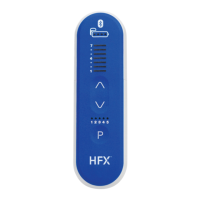
1. Once your remote control is ON, slide the
battery cover on the back of your remote
control open just enough to expose the
Stimulation OFF Button. Press and hold the
Stimulation OFF Button for at least 10 seconds.
2. Continue to hold down the Stimulation OFF Button (1)
even after your remote control beeps and you see
illuminated numbered levels turn OFF, conrming the
Stimulation Level Indicator (“Ladder Lights”) has
been turned OFF.
3. While you continue to hold down the Stimulation OFF
Button (1) , the illuminated Stimulation Level Indicator (2)
(“Ladder Lights”) will begin to light up from bottom to top.
This indicates the impedance check is in process.
4. Your remote control will then beep when the impedance
check is complete. Once you hear another beep or
series of beeps, you can release the Stimulation OFF
Button (1) . These beeps (described on the next page) indicate
whether your impedance check was successful or unsuccessful.
MDSS GMBH | Schiffgraben 41 Redwood
Phone: 65
Nevro Cor
D-30175 Hannover, Germay
REPEC
2
1
1
For Implanted Patients
(PTRC2300/PTRC2500/PTRC3000)
MRI: Impedance Check Instructions


 To Next Page
 Loading...