EasyManua.ls Logo

New Digital T2 01D HD SENIOR - User Manual

New Digital T2 01D HD SENIOR
21 pages
Print Icon
To Next Page IconTo Next Page
Loading...
This symbol on the product means that your equipment is suitable only for Indoor use.
1. Read and follow these instructions.
2. Do not use this apparatus near water, heat sources, do not expose to direct sunlight and the
temperatures higher than in normal household. For Indoor use only!
3. Clean only with dry cloth, protect from moisture and dirt, do not cover the ventilation grid.
4. Operate this product only from the type of power source indicated on the label. Protect the
Device and the power cord from the moisture, physical damage.
5. Unplug this apparatus during lightning storms or when unused for the longer period.
6. Do not disassemble the unit or try to insert any extraneous items into it.
7. Refer all servicing to qualified service personnel only. Servicing is required when the apparatus
has been damaged in any way, including damage to the mains cord or plug, if the unit was
exposed to liquids or moisture, has been dropped or not operating correctly.
IMPORTANT SAFETY INSTRUCTIONS
CAUTION
Risk of electric shock!
DO NOT OPEN!
ATTENTION
Risque de choc electrique!
NE PAS OUVRIR!
This symbol indicates that dangerous voltages constituting a risk of electric shock are
present within this unit.
This symbol on the product or in the instructions means that your electrical and
electronic equipment should be disposed at the end of life separately from your
household waste. There are separate collection systems for recycling.
For more information, please contact the local authority or your retailer where you
purchased the product.
This symbol indicates that this product incorporates double insulation between
hazardous mains voltage and user accessible parts. When servicing use only identical
replacement parts.
This symbol indicates that there are important operating and maintenance
instructions in the literature accompanying this unit.
* NOTE: this Tuner is supporting the reception of Free To Air
programmes only
FRONT AND REAR PANELS AND CONNECTIONS DIAGRAM
Front panel and controls
Rear panel
and connection diagrams:
1 POWER – Switches between working and Standby mode
2 CH- switches TV program up the list
3 CH+ switches TV program down the list
4 IR (Infrared remote control) window
5 USB -- connector for external USB memory device (USB 2.0 support) located on the right
side
1 2 3
4
5
1 RF IN: This socket connects to your external Aerial.
2 HDMI: High definition audio and video output used to connect to TV HDMI socket
3 TV SCART analog Audio / video output for connection to TV set
1 2 3 4 5
HIGH DEFINITION DIGITAL TERRESTRIAL
DVB-T2/T TUNER WITH H.264 SUPPORT
USER MANUAL
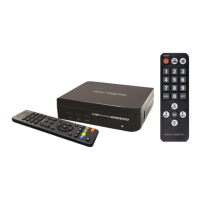
CONTENTS OF THE PACKAGE: Tuner Unit,
2 Remote Control Units, 4 pcs AAA type Batteries,
User Manual
EN

Questions and Answers

Summary

IMPORTANT SAFETY INSTRUCTIONS

FRONT AND REAR PANELS AND CONNECTIONS DIAGRAM

Front Panel Controls

Details the buttons and indicators on the front panel of the receiver.

Rear Panel Connections

Illustrates the rear panel connections and ports for external devices.

DESCRIPTION OF THE REMOTE CONTROL UNIT (RCU)

Primary Remote Control Button Functions

Details the functions of buttons on the primary remote control for operating the receiver.

Functions of the secondary SENIOR remote control unit:

Secondary Remote Control Button Functions

Explains the operation of the secondary remote control for basic receiver functions.

FIRST TIME INSTALLATION

Initial Setup Procedure

Guides users through the initial setup process including language, country, and channel tuning.

Welcome Menu Navigation

Explains how to navigate the welcome menu using the remote control keys.

MAIN OSD (ON SCREEN DISPLAY) MENU

OSD Menu Structure

Outlines the main menu categories available on the On-Screen Display.

Program Management Settings

Details options for managing and organizing TV program lists.

Program Guide and Timer Functions

Explains how to access the program guide and set timers for recording or viewing.

Picture Setting Menu

Picture Adjustment Options

Covers adjusting picture settings like aspect ratio, resolution, and TV format.

Channel Search

Auto Channel Search

Describes the process of automatically searching for and saving TV channels.

Manual Channel Search

Explains how to perform a manual channel search using frequency and bandwidth.

Antenna Power Setting

Details the option to enable or disable power for active antennas.

Time Settings Menu

Time Offset, Zone, and Sleep Timer

Covers setting time offsets, time zones, and sleep timers for automatic power off.

Option settings Menu

Language and Audio Configuration

Allows selection of OSD, subtitle, and audio languages, plus digital audio output.

System Settings Menu

System Configuration Options

Covers system settings such as parental guidance, password, factory reset, and software updates.

USB Media Player

Multimedia Playback and Supported Formats

Enables playback of multimedia files (video, audio, image) from a USB device.

Other useful functions

Program Information Display

Displays current and next program information using the INFO button.

Audio and Subtitle Language Options

Allows selection of preferred audio and subtitle languages for programs.

Teletext Service Access

Activates the Teletext service window to view text-based information.

TROUBLESHOOTING GUIDE

Common Problems and Solutions

Provides solutions for common issues like no picture, no sound, or remote control problems.

TECHNICAL SPECIFICATIONS

Tuner, Decoder, and Connection Specs

Details tuner RF input, frequency range, decoder standards, and connection ports.

Power Supply and Consumption

Provides information on the device's power input voltage and consumption.

New Digital T2 01D HD SENIOR Specifications

General IconGeneral
BrandNew Digital
ModelT2 01D HD SENIOR
CategoryReceiver
LanguageEnglish