Newbeem Smart Outlet User Manual v2.0
Customer service: support@newbeem.com
3.
Wi-Fi configuration
A.
IOS devices:
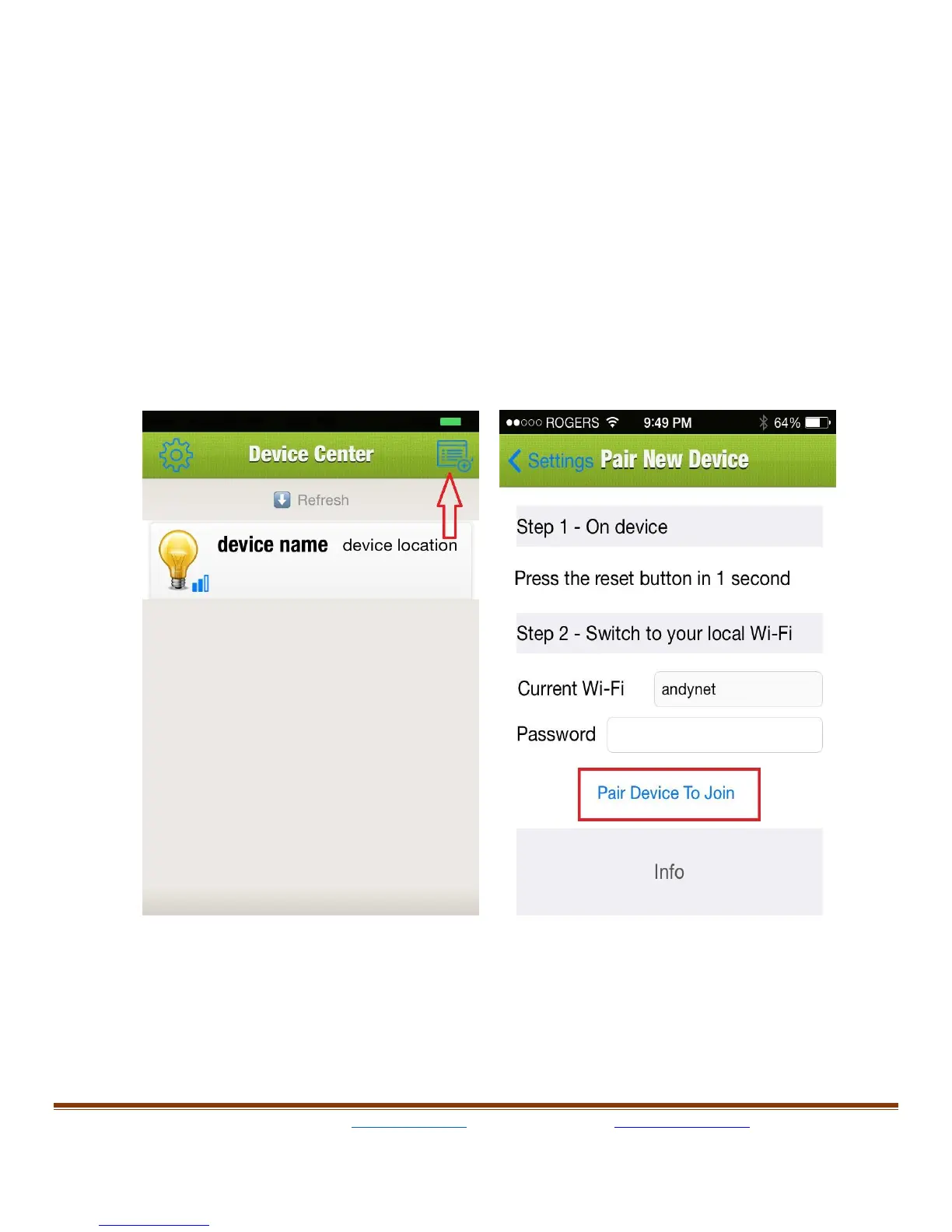
Run the “iPlug” app on device, the “Device Center” page will show up first.
This will allow the user to configure all smart outlets which have been
plugged in wall outlet.
Tap the quick device configure icon at the right top of screen, the “Pair
new device” page will show up, home network SSID will be filled in
the WI-
FI field automatically, type in the user’s home network password.
Push the reset button on the outlet then quickly release, the WiFi
network Led will blink slowly. If the LED is still solid and does not blink
please try again.



 To Next Page