Need help?
Do you have a question about the newell DYMO COLORPOP and is the answer not in the manual?
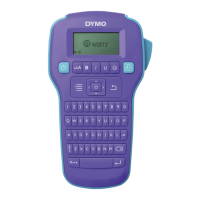
Register your DYMO COLORPOP! printer online at www.dymo.com/register for warranty and support.
Insert six AAA alkaline batteries, observing polarity, and replace the battery compartment cover.
Lift cover, insert cassette firmly until it clicks, and it will prompt for width selection.
Select language and label width settings when powering on the printer for the first time.
Enter text, format, cut the label, remove backing, and apply.
Conditions for repair/replacement: proof of purchase, proper packaging, adherence to instructions, use of DYMO labels.
Excludes consequential loss, damage from misuse, alteration, neglect, or third-party labels.
2-year warranty; conditions similar to US, with specific provisions for Australia under Consumer Law.
Register product for an additional year warranty and receive technical support and offers.
Visit DYMO website, contact Help Desk, or consult your dealer for defective product issues.
Contact DYMO Help Desk via phone for assistance with product problems: US, Intl, AUS, NZ numbers provided.

 To Next Page
 General