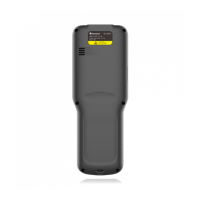
The Newland MT93 Megattera Pro is a mobile computer designed for scanning and data collection, featuring an Android 13 operating system. It serves as a portable data collector, offering functionalities for various business applications.
Function Description:
The MT93 Megattera Pro is primarily a portable data collector with integrated scanning capabilities for both 1D and 2D barcodes. It supports various output modes for scanned data, including simulating keystrokes, output via API, and direct input into EditText fields. The device can connect to networks via Wi-Fi, mobile data (4G/3G/2G), and Bluetooth, enabling data transfer and communication. It also includes features like GPS for location services, NFC for reading and writing tags, and a camera for image capture. The device's system can be updated online or locally, and it includes a Whitelist Manager for controlling app installations.
Important Technical Specifications:
- Operating System: Android 13
- Scanning: Supports 1D and 2D barcodes.
- Connectivity:
- Wi-Fi: WPA/WPA2/WPA3-Personal, WPA/WPA2/WPA3-Enterprise, WPA3-Enterprise 192-bit.
- Bluetooth: For pairing with other Bluetooth devices (PC, mobile phone).
- Mobile Network: 4G/3G/2G network support (Telecom, Unicom, Mobile).
- USB: Type-C connector for charging and PC communication (file transfer, USB tethering, MIDI, PTP).
- Memory: Internal storage for apps, music, photos, and other user data.
- Display: LCD screen.
- Battery: Rechargeable battery, takes approximately 3 hours to fully charge from less than 5% (when shut down or in sleep mode). First use requires at least 6 hours of charging.
- SIM Card: Supports Nano SIM.
- MicroSD Card: Supports MicroSD card for additional storage.
- Physical Keys: 5 physics keys (Volume+, Volume-, Left Scan Key, Power/Scan Key, Right Scan Key). Power key is not user programmable; others are.
- Sensors: Light/Proximity Sensors.
- Indicators: LED (Blue for fully charged/phone call/message, Red for charging/low battery).
- Audio: Speaker, Main Microphone, Noise Reduction Microphone.
- Camera: Front and Rear Camera with flashlight.
- GPS: Location services using GPS, Wi-Fi, mobile networks, and sensors.
- NFC: For reading and writing NFC tags.
Usage Features:
- Power Management: Switching on/rebooting/switching off the device.
- Screen Lock: Locking and unlocking the device with various screen lock modes (None, Swipe, Pattern, PIN, Password).
- Home Screen Customization: Viewing multiple home screens, opening apps, viewing all apps, adding/deleting app icons, and adding/opening widgets.
- App Management: Installing apps from APK files, MicroSD cards, PC, or Newland APP Installer. Uninstalling apps (system apps cannot be uninstalled).
- Date & Time Settings: Setting date, time, automatic time zone, and location-based time zone.
- Display Settings: Adjusting brightness level, dark theme, night light, adaptive brightness, lock screen content, screen timeout, and font size.
- Sound & Vibration: Setting media, call, ring & notification, and alarm volumes. Configuring Do Not Disturb mode and phone ringtone.
- Factory Reset: Restoring factory settings, which erases all data on internal storage.
- Language & Input: Setting preferred language and input method (on-screen keyboard, physical keyboard, voice input).
- Barcode Scanning:
- 1D Barcode: Adjusting scan angle and distance for optimal reading.
- 2D Barcode: Pointing focus lamp at the center, moving for appropriate scan distance, and using optimum scan angles (Skew < 45°, Pitch < 45°, Roll = 0°-360°).
- Scan Modes: Level mode (trigger held), Continuous mode (continuously reads), Pulse mode (timeout expires), Delay mode (scan on release key).
- Scan Trigger: Left/Right SCAN key and Stock SCAN key (on pistol grip).
- Prefix & Suffix: Adding hexadecimal values as prefixes or suffixes to scanned data.
- Good Read Indicator: Sound, vibration, and LED flash to indicate a successful read.
- Encoding: Choosing character encoding for barcode data (AUTO, UTF-8, GBK, ISO-8859-1, windows-1251, or custom).
- Data Edit: Editing barcode data with scripts.
- Broadcast-output Settings: Configuring broadcast ACTION and EXTRA for scan information.
- Symbologies: Enabling/disabling 1D/2D symbologies, setting security levels, Acuscan Decoding, Multiple Barcodes, Noise Reduction, Exposure Level, Illum Mode, and Power Plan (Power Saving/High-performance).
- Bluetooth Pairing: Connecting to other Bluetooth devices, unpairing, and renaming devices.
- Wi-Fi Network Management: Joining Wi-Fi networks, setting metered/unmetered connections, configuring proxy settings (None, Manual, Proxy Auto-Config), and IP settings (DHCP, Static). Adding networks manually or via QR code. Viewing Wi-Fi preferences and data usage.
- Mobile Network Management: Turning on cellular data, configuring APN settings for internet access.
- Camera Usage: Launching the camera app, switching between front/rear cameras, turning on/off flash, taking photos/videos, and setting parameters (scene mode, self-timer, picture size, shutter sound, ZSD, white balance, ISO, Anti flicker).
- GPS Usage: Enabling/disabling location services and managing app location permissions.
- NFC Usage: Enabling NFC and using NFC writer apps to read/write tags.
- Whitelist Manager: Specifying allowed apps for installation.
- System Update: Online and local system software updates.
Maintenance Features:
- Safety & Handling: Do not disassemble or retrofit. Use only included AC adapter. Keep away from fire/heat. Disconnect power if abnormal odor/overheating/smoke.
- Drop Damage: Contact service center if damaged by a drop.
- LCD Screen Care: Do not press or strike the screen. Avoid contact with liquid from cracked screens.
- Object Placement: Do not place heavy objects on the terminal.
- Mounting Location: Place on stable surfaces. Avoid humidity, dust, and direct sunlight.
- Cleaning: Clean scan window regularly with a dry soft cloth. Do not use wet cloths or volatile chemicals.
- Condensation: Dry the terminal if condensation occurs.
- Battery Safety: Do not dispose of in fire. Replace if battery life is short. Use only Newland battery and AC adapter. Avoid overcharging and excessive discharge. Charge in suitable temperatures (5°C-45°C). For long-term storage, shut down and recharge every six months, storing at 30%-50% charge. Do not use damaged or faulty adapters/batteries. Dispose of and recycle batteries properly.
- Troubleshooting: Provides solutions for common issues like charging problems, short battery life, USB communication failures, no display, and system halts.

 Need help?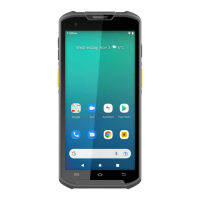

 To Next Page
 General