EasyManua.ls Logo

NEWMEN GM1000 - User Manual

NEWMEN GM1000
4 pages
Print Icon
To Next Page IconTo Next Page
Loading...
Dongguan Newmen Electronics Technology Co., Ltd
Keyboard Instructions
GM1000
1 Functions and electronic principles of new products
1.1 Scheme Description: BYK916+BK3632 Wired/Bluetooth /2.4G three-mode RGB
keyboard, full keys without impact Bluetooth supports memory of three
devices, built-in lithium battery (3000mAh), Type-C interface connection
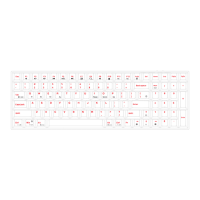
1.2 FN Shortcut Key Function Description
FN+
|\
Slow down the
light
Speed up the
lights
Dim the
lights
Turn up the
lights
Light
effect
switching
FN+
Shift
WIN
Del
I
O
P
Restoring
factory
defaults
Lock/unlock
WIN
Switch the
color of the
light
Pause
Scrlk
Ins
FN+
Prtsc
F1
F2
F3
F4
F5
Switch on
light
mute
Reduction
in volume
Volume plus
The last
song
Play/pause
FN+
F6
F7
F8
F9
F10
F11
Next song
select all
search
The home
page
Lock
screen
WIN
FN+
F12
Q
W
E
MAC
Bluetooth
device 1
Bluetooth
device 2
Bluetooth
device 3
Question and Answer IconNeed help?

Do you have a question about the NEWMEN GM1000 and is the answer not in the manual?

Summary

Keyboard Instructions

Product Scheme Description

Details the BYK916+BK3632 model, connectivity, and battery specs.

FN Shortcut Key Functions

Explains special functions accessed via FN key combinations for lighting and media.

Advanced Functionality

Covers Bluetooth pairing, device switching, connection modes, and system switching.

Power and Charging Specifications

Details charging current, operating current for wired/wireless modes, and battery life.

2.4 G Alignment Procedure

Instructions for aligning the keyboard in 2.4G mode using the FN+R key.

FCC Compliance Statement

Information regarding compliance with Part 15 of FCC Rules and potential interference.

Overview

This document outlines the functions and electronic principles of the GM1000 keyboard, a versatile input device designed for various computing environments.

The GM1000 is a three-mode RGB keyboard, supporting wired, Bluetooth, and 2.4G wireless connections. It features full anti-ghosting keys, ensuring accurate input even during rapid key presses. A key highlight is its Bluetooth capability, which allows it to remember up to three different devices, facilitating seamless switching between them. The keyboard is powered by a built-in 3000mAh lithium battery and connects via a Type-C interface.

Function Description:

Connection Modes:

The keyboard offers three connection modes: wired, Bluetooth, and 2.4G wireless. A three-gear toggle switch allows users to easily select their preferred connection method.

Bluetooth Alignment and Switching:

In Bluetooth mode, users can initiate the alignment state by long-pressing any combination of FN+Q, FN+W, or FN+E for 3 seconds. For example, pressing FN+Q will cause the Q indicator to flash rapidly. Once successfully connected, the device is saved under that specific key combination. The keyboard supports switching between three Bluetooth devices by pressing FN+Q, FN+W, or FN+E. The Bluetooth device names are GM1000 BT3.0 and GM1000 BT5.0. When connected via wire, the device is recognized as "Newmen Bluetooth Keyboard" with VID: 12C9 and PID: 6006.

System Mode Switchover:

The GM1000 is designed to be compatible with both Windows and MAC operating systems. Users can switch between these system modes by pressing FN+F11 for Windows or FN+F12 for MAC.

FN Key Indicator (Power Indicator):

The "FN" key serves as a five-level power indicator, providing visual feedback on the battery status. The indicator progresses from red (lowest) to yellow, green, blue, and finally white (highest). A red flashing light signifies low power, indicating that the keyboard needs to be charged. A steady white light indicates sufficient power.

Lighting Effects:

The keyboard boasts a wide array of lighting effects, offering five levels of light speed adjustment and four levels of brightness adjustment. The available lighting effects include:

  • Go with the flow (default): A dynamic, flowing light pattern.
  • Shadow: A subtle, ambient lighting effect.
  • Sine wave: Lights move in a wave-like pattern.
  • Scanning around: Lights scan across the keyboard.
  • Rotating windmill: A circular, rotating light pattern.
  • Colorful waterfall: Lights cascade down the keys in various colors.
  • Flowers: A blossoming light effect.
  • Rotating storm: A swirling, storm-like pattern.
  • Back and forth collision: Lights move and collide.
  • Perfect: A balanced and harmonious lighting.
  • Steady on mode: All lights remain constantly on.
  • Breathing mode: Lights gently fade in and out.
  • Dream rainbow: A vibrant, multi-colored rainbow effect.
  • Trigger: Lights react to key presses.
  • Walk in the rain: A gentle, rain-like light effect.
  • Rainbow roulette: A spinning rainbow pattern.
  • Key ripples: Lights ripple outwards from pressed keys.
  • Stars: A twinkling star-like effect.
  • Snow without trace: A delicate, falling snow effect.
  • Flow: A continuous, smooth light movement.

Custom Lighting:

The GM1000 supports five custom lighting modes, accessible via FN+1 through FN+5. To create a custom lighting profile, users enter the recording state by pressing FN+HOME. They can then press any key to set its color. Once satisfied, pressing FN+HOME again saves the custom lighting profile.

FN Shortcut Key Functions:

The keyboard incorporates various FN shortcut keys to enhance user convenience:

  • FN+↓ (Slow down the light): Decreases the speed of the lighting effect.
  • FN+↑ (Speed up the lights): Increases the speed of the lighting effect.
  • FN+Del (Dim the lights): Reduces the brightness of the lighting.
  • FN+I (Turn up the lights): Increases the brightness of the lighting.
  • FN+0 (Light effect switching): Cycles through the available lighting effects.
  • FN+P (Switch the color of the light): Changes the color of the current lighting effect.
  • FN+Right Shift (Restoring factory defaults): Resets the keyboard settings to their original factory state.
  • FN+Win (Lock/unlock WIN): Locks or unlocks the Windows key to prevent accidental presses during gaming.
  • FN+Prtsc (Switch on light): Toggles the keyboard backlight on or off.
  • FN+F1 (mute): Mutes the audio output.
  • FN+F2 (Reduction in volume): Decreases the volume.
  • FN+F3 (Volume plus): Increases the volume.
  • FN+F4 (The last song): Skips to the previous track.
  • FN+F5 (Play/pause): Toggles media playback.
  • FN+F6 (Next song): Skips to the next track.
  • FN+F7 (select all): Selects all content.
  • FN+F8 (search): Opens the search function.
  • FN+F9 (The home page): Opens the default web browser's home page.
  • FN+F10 (Lock screen): Locks the computer screen.
  • FN+F11 (WIN): Switches to Windows operating system mode.
  • FN+F12 (MAC): Switches to MAC operating system mode.
  • FN+Q (Bluetooth device 1): Connects to Bluetooth device 1.
  • FN+W (Bluetooth device 2): Connects to Bluetooth device 2.
  • FN+E (Bluetooth device 3): Connects to Bluetooth device 3.

Maintenance Features:

Charging and Battery Life:

The GM1000 has a charging current of less than 450mA, with a full charge taking approximately 10 hours. In wireless mode, the keyboard can operate continuously for about 150 hours without backlighting.

Power Consumption:

  • Wired/wireless operating current (luminous): ≤350mA.
  • Wireless mode (no glow): Operating current < 20mA.
  • Backlight off: After 3 minutes, the keyboard enters a low-power state.
  • Hibernation current: ≤0.5mA after 30 minutes of inactivity.

2.4G Alignment:

For 2.4G wireless mode, users can initiate alignment by long-pressing the FN+R key combination for 3 seconds. The green light will flash quickly, indicating that the alignment process is underway. Successful alignment requires the keyboard to be in close proximity to the receiver.

The GM1000 is designed to provide a comprehensive and customizable typing experience, catering to both productivity and gaming needs with its multi-mode connectivity, extensive lighting options, and convenient shortcut functions.

NEWMEN GM1000 Specifications

General IconGeneral
BrandNEWMEN
ModelGM1000
ConnectivityWired
InterfaceUSB
BacklitRGB
KeycapsDouble-shot ABS
Actuation Force50g
Polling Rate1000Hz
Cable Length1.8m
TypeMechanical Keyboard
Layout104 Keys
Actuation Point2.2mm
Total Travel4mm
Switch TypeOutemu Blue

Related product manuals