EasyManua.ls Logo

Newport Medical Instruments HT70 - User Manual

Newport Medical Instruments HT70
172 pages
Print Icon
To Next Page IconTo Next Page
Loading...
Newport Medical Instruments, Inc.
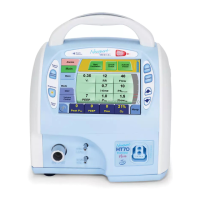
Newport HT70 Ventilator
Operating Manual
for Plus Model
OPRHT70-2 Rev. F
06/13
0344
Newport Medical Instruments, Inc.
1620 Sunower Ave.
Costa Mesa, CA 92626
Tel: 1.714.427.5811
Tel: 1.800.451.3111 (USA Only)
Fax: 1.714.427.0489
Customer Service ext. 282
www.ventilators.com
email: Info@ventilators.com

Table of Contents

Questions and Answers

Summary

Contact Information

Introduction to the HT70 Ventilator

Intended Use of HT70 Ventilator

Specifies patient populations and environments for the HT70 ventilator.

Warnings, Cautions, and Notes

Important safety information, warnings, and cautions for safe operation.

Overview of Controls, Screens, and Connectors

Front Panel Overview

Identifies and describes the buttons, LEDs, and connectors on the front panel.

Internal Dual Battery System Overview

Details the dual battery system, its capacity, and charging.

Rear Panel Overview

Identifies and describes the ports and switches on the rear panel.

HT70 Setup and Pre-use Preparations

Unpack the HT70 Ventilator

Instructions for unpacking and inspecting the ventilator and its components.

Connect to AC Power

How to connect the ventilator to an AC power source for operation.

Attach a Patient Circuit

Guidance on connecting the breathing circuit and associated filters.

Using the On-airway Flow Sensor

How to connect and use the on-airway flow sensor.

Connect Optional Accessories

Information on connecting various optional accessories.

Navigating the HT70 Screens

Touchscreen (Graphical User Interface) Layout

Overview of the touchscreen layout, color coding, and navigation.

Ventilator Settings Adjustment

Step-by-step guide on adjusting ventilator parameters using the interface.

How to Perform a Circuit Check

Detailed procedure for performing the mandatory Circuit Check.

Alarms Screen Navigation

How to access and navigate the Alarms screen.

Main Screen Navigation

Understanding and navigating the Main Screen for ventilation parameters.

Utility Screen

Accessing utility functions like Auto Lock, Language, and Power Save.

Domain Navigation

Switching between Hospital, Transport, and Basic operating domains.

Operating the HT70 Ventilator

Quick Check Procedure

Steps for performing a routine operational check before patient use.

Patient Set Up Procedure

Steps for setting up the ventilator for a specific patient.

Troubleshooting Guide for Newport HT70

Common problems and their resolutions for the HT70 ventilator.

Ventilator Alarms

Setting Alarms

How to adjust alarm limits and parameters.

User Adjustable Alarms

Lists and describes alarms that can be adjusted by the user.

High Pressure Alarm

Details on the High Pressure Alarm and its settings.

Apnea Alarm

Triggered when no breaths are detected within a set period.

Backup Ventilation

How Backup Ventilation activates and its function.

Device Alert Alarm - System Error

Indicates a functional problem with the ventilator's microprocessor.

Battery Operation

Internal Dual Battery System

Explanation of the ventilator's internal battery system.

Power Pac Battery Pack

Details on the detachable, hot-swappable Power Pac battery.

Check Battery Charge Level and Battery Time Estimator

How to check battery charge and estimate remaining operating time.

Power Accessories

Information on essential accessories for battery management and charging.

Cleaning and Maintenance

Cleaning and Disinfecting

Procedures for cleaning and disinfecting the ventilator and its parts.

Maintenance Guidelines

Routine maintenance checks and schedules for the ventilator.

24 Month Maintenance

Maintenance tasks to be performed every twenty-four months.

Factory Maintenance or Repair

Information on authorized service and repair procedures.

Specifications

Controls;Monitors

Range and selection details for ventilator controls and monitored parameters.

Alarms

Details on user-adjustable and automatic alarm settings.

Hardware Requirements

Electrical, pneumatic, and port specifications for the device.

Factory Default Parameters

Default settings for various patient parameters.

Explanation of Modes and Controls

A;CMV Mode (Assist;Control Mandatory Ventilation)

Explanation of the Assist/Control Mandatory Ventilation mode.

SPONT Mode (Spontaneous Ventilation)

Explanation of the Spontaneous Ventilation mode.

PC (Pressure Control Ventilation)

Explanation of the Pressure Control Ventilation mode.

Backup Ventilation

Detailed explanation of the Backup Ventilation feature.

Newport Medical Instruments HT70 Specifications

General IconGeneral
BrandNewport Medical Instruments
ModelHT70
CategoryFan
LanguageEnglish