-20-
Click on “Settings” > Click “Connection mode” > Select
“Bluetooth”
Return to the main interface, APP will prompt to connect
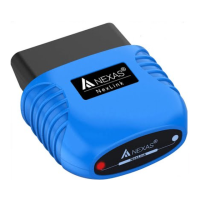
NEXAS device, enter "1234" in PIN and click ‘OK’.
AlfaOBD ( Android, Windows):
Make sure your phone / tablet’s Bluetooth is turned on.
Click on “Settings” > Click “Interface” > Select “ELM327
Bluetooth” and Click “Interface baudrate” > Select “38400”
Return to the main interface, click icon of Bluetooth select
NEXAS device.
A Better Routeplanner (ABRP) App (iOS & Android):
Make sure your phone Bluetooth is turned on.
First you need to save your car in ABRP.
Choose your car in the list and then click on it. Save it by
clicking on the save button.


 To Next Page