Need help?
Do you have a question about the Nexcom NISE 3520 Series and is the answer not in the manual?
Covers copyright, disclaimers, and regulatory statements for the manual and product.
Provides a general overview and highlights the main capabilities of the NISE 3520 Series.
Details the technical specifications of the main board and memory.
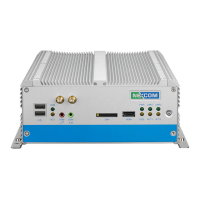
Introduces the device's front and rear panels, detailing their components and connectors.
Provides the physical dimensions and measurements of the NISE 3520 Series units.
Advice on preparing for work and critical safety measures for handling components.
Explains jumper configurations and identifies their locations on the main board.
Details pin assignments for front panel connectors like USB, GSM, Mic-in, Line-out, SIM, HDMI, LEDs, Power Switch.
Details pin assignments for rear panel connectors like Remote Power, PS/2, DC Input, GPIO, Serial, LAN, USB, VGA, DVI, Speaker-out, Mic-in.
Details pin assignments for internal connectors like Power, Reset, SMBus, LVDS, SATA, LED, USB, COM, PCI, PCIe, Mini-PCIe, Fan, External LED.
Instructions on how to safely remove the chassis cover to access internal components.
Step-by-step guide for correctly installing a DIMM into its socket.
Detailed steps for installing the Central Processing Unit (CPU) into the socket.
Guides for installing SATA hard drives and SATA DOMs.
Instructions for installing wireless modules and SIM cards.
Introduction to the BIOS Setup Utility, its navigation, and main menu options.
Configuring advanced system parameters including CPU, SATA, USB, and I/O settings.
Settings related to the system chipset, including North and South bridge configurations.
Configuration of boot order, system passwords, and security features.
Steps to enable Intel AMT within the BIOS configuration.
Detailed guide on configuring the Intel Management Engine (ME) setup.
Instructions on how to remove AMT/ME configuration settings.
 General
| HDMI | 1 x HDMI |
|---|---|
| Storage | mSATA, SATA |
| Ethernet Ports | 4 x GbE LAN ports (Intel® I210/I217) |
| USB Ports | 2 x USB 2.0 |
| Expansion Slots | 1 x Mini-PCIe |
| Serial Ports | 2 x RS-232/422/485 |

 To Next Page