6 How to Pair NexiGo Controller to Switch /
Switch OLED?
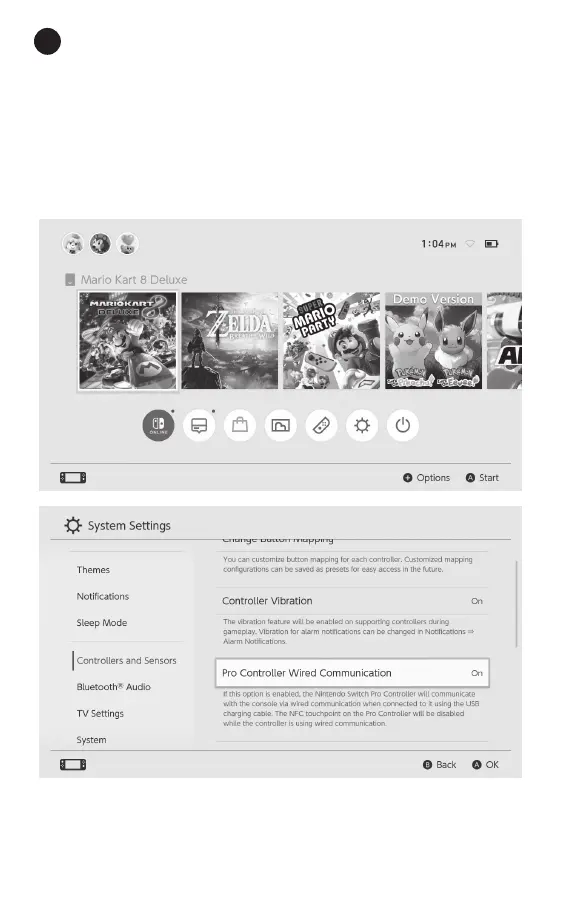
1.Please enable the Pro Controller Wired
Communication setting in the Switch / Switch
OLED console itself. You can do this by going to
System Settings > Controller and Sensors >
Pro Controller Wired Communication. Set Pro
Controller Wired Communication to On.
US / 01


 To Next Page