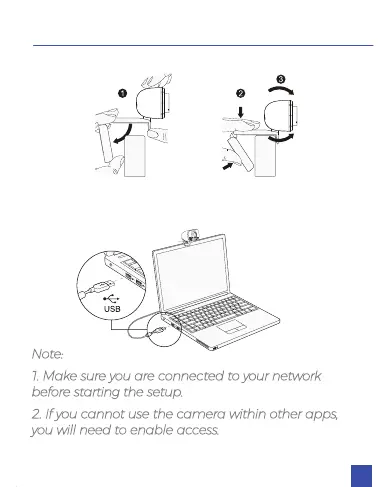
1. Place/Position your webcam
2. Connect the webcam to your computer using the
USB cable
Note:
1. Make sure you are connected to your network
before starting the setup.
2. If you cannot use the camera within other apps,
you will need to enable access.
SETTING UP YOUR WEBCAM
06



 To Next Page