NEXIGO WEBCAM SETTINGS SOFTWARE
While all of our cameras are plug-and-play, this free software tool is
best for those who want full control over settings like brightness,
saturation, exposure, and focus. To download the latest version,
head to nexigo.com/software.
nexigo.com/software
PRODUCT INSTALLATION
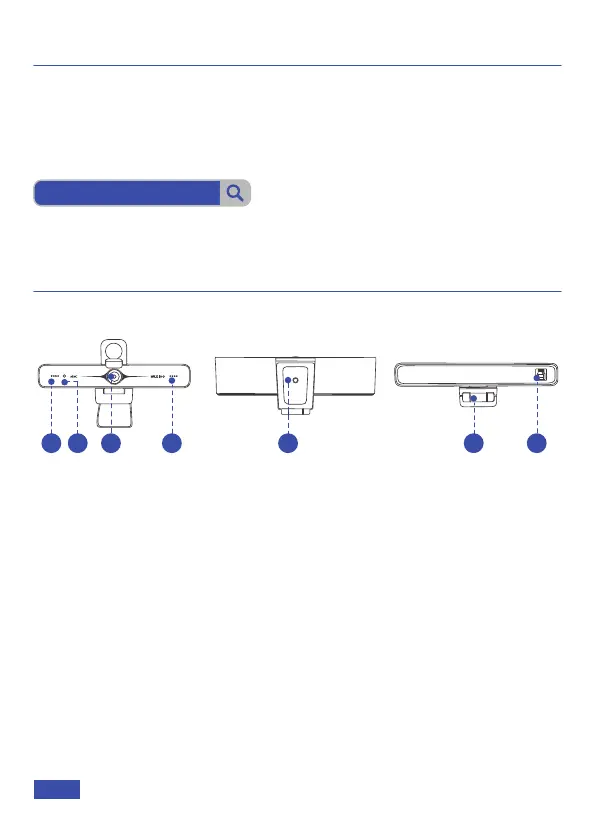
PRODUCT DIAGRAM
1. UHD Lens
2. Activity Indicator
3. Noise Reduction Microphones
INSTALLING YOUR WEBCAM
Option 1: Place on a flat surface.
Option 2: Mount on a laptop or monitor.
Option 3: Install with a 1/4" thread tripod.
4. 1/4" Tripod Screw Hole
5. Flexible Clip / Base
6. USB-B 3.0 Port
2
1 3 5 6
3
4
US 01EN 03



 To Next Page