3
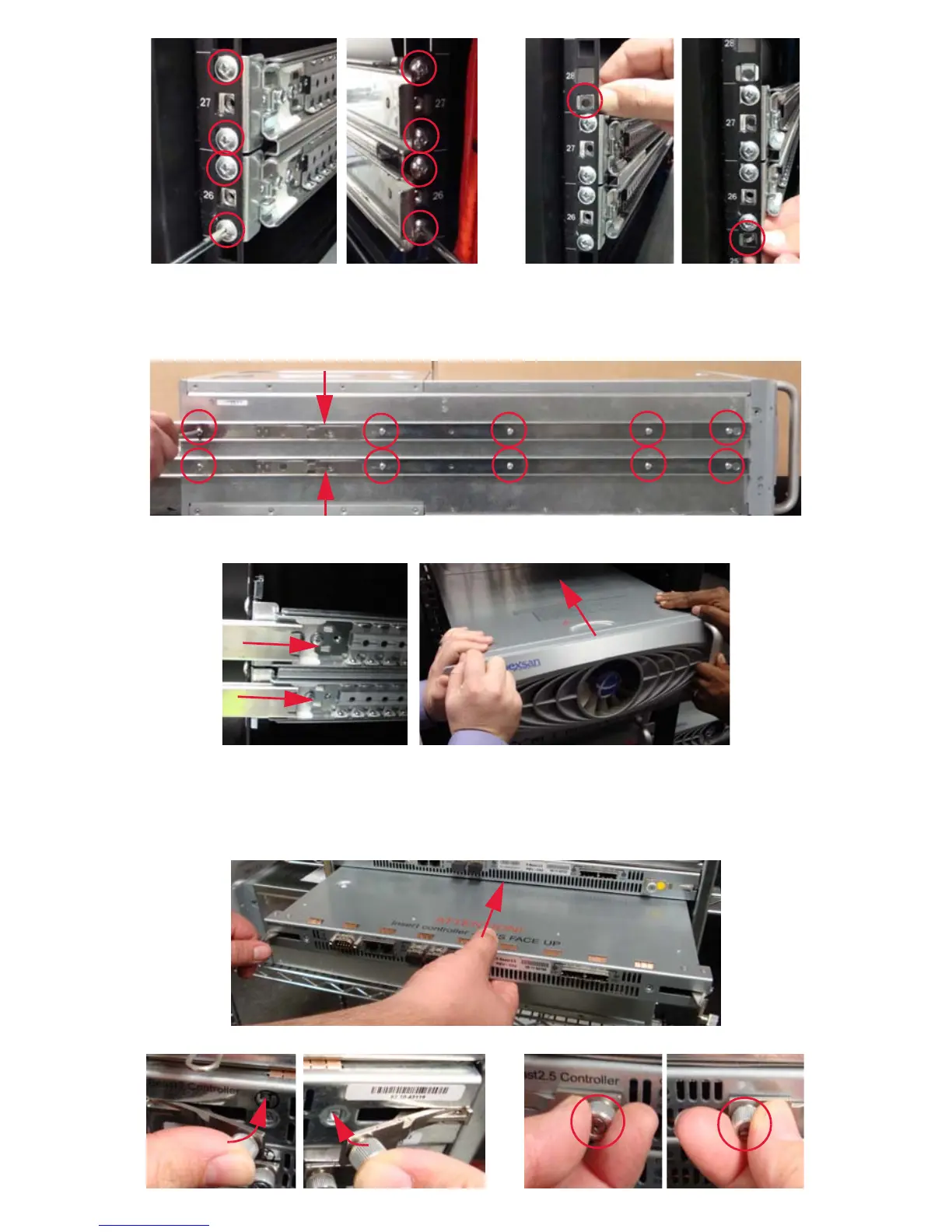
4. Attach each rail to the rack, then insert the cage nuts above and below each rail.
Mount the Unit
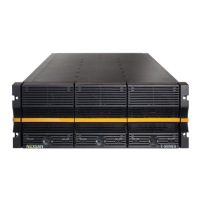
1. Attach the inner rails to each side of the chassis. The latch should be closer to the rear of the unit.
2. With the help of another person, lift the chassis, carefully line up the inner rails with the rack rails,
and slide the chassis into the rack.
Restore the Rear Modules
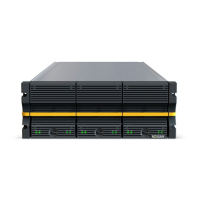
1. RAID Controllers: Slide the RAID Controller into its slot. For the bottom unit, be careful to not snag
the cables in the blower unit below.
Push in the latch levers to seat it, then tighten the retaining bolts.


 To Next Page