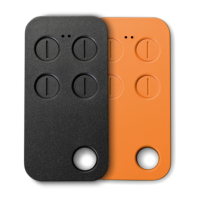
EN
If the remote control
is a xed code
If the remote control
is a rolling type 1
3 - DUPLICATE REMOTES
Notes
- If the RED LED ashes only 3 times and goes off, the code has not been learned correctly, then repeat the operation
from point 1.
- Several radio transmitters codes can be duplicated and saved to each button
- Internal memory is rewritable.
3.1 - PROCEDURE TO DUPLICATE REMOTES WITH SINGLE CODE OR ROLLING CODE TYPE 1
STEP 1
At the same time press and hold button No.1
and push 4 times button No.2 (Fig.1).
STEP 2
Now stop pressing buttons. Then the RED LED
starts blinking every 2 seconds.
STEP 3
Position the “remote control to be duplicated” in front of
the “copying radio remote” at a distance of about 1-2 cm,
then Press and hold the button of the “remote control to
be cloned” and wait for the RED LED of the “copying radio
control” to change ashing (faster) and color (GREEN),
conrming the correct learning of the code. This can take a
few seconds.
STEP 4
While the GREEN LED is ashing, press the button of the “copier radio control” on which you want to enter the
duplicated code and keep it pressed until the LED switches off to conrm that the code has been correctly learned.
Copying was successful.
STEP 5a
The transmitter is already functional
STEP 5b
Insert the “programmed copier radio
control” with the remote learning
procedure (depends on the model
copied) or with a standard association
procedure. See paragraph 4
x4
1-3cm
9


 To Next Page
 Loading...