Page 3 of 10
STOP: READ ME FIRST. DO
THIS AT INSTALLATION.
Check And Change Your Voltage If
Needed
The LC-3D Print Box comes with a pre-set voltage from
the factory that may require changing to align with
your country specic voltage rating.
Note: No damage will occur to your unit if
plugged into a different voltage than how
the unit is congured.
For proper heater and light output, it is required to
select the correct voltage. This is a one-time setting
done at initial setup of your LC-3D Print Box.
Follow these instructions on how to change the pre-
set voltage to your country specic voltage. Please
see the Voltage Chart below to identify your country
specic voltage.
Note: If your country is not listed, choose
the correct voltage from the pulldown list
on the print box (see voltage list below).
Country Voltage
Australia 230V
New
Zealand
230V
S. Korea 220V
Canada 120V
China 220V
Mexico 120V /
127V
Chile 220V
Turkey 220V /
230V
Portugal 230V
Morocco 220V /
127V
India 230V
Country Voltage
US 120V
Germany 230V
Italy 230V
Spain 230V
UK 230V
Ukraine 230V
France 230V
UAE 220V /
230V
Taiwan 110V
Russia 220V /
230V
Czech
Republic
230V
Voltage Selection
on Print Box
100V
110V/115V
120V/127V
220V
230V
240V
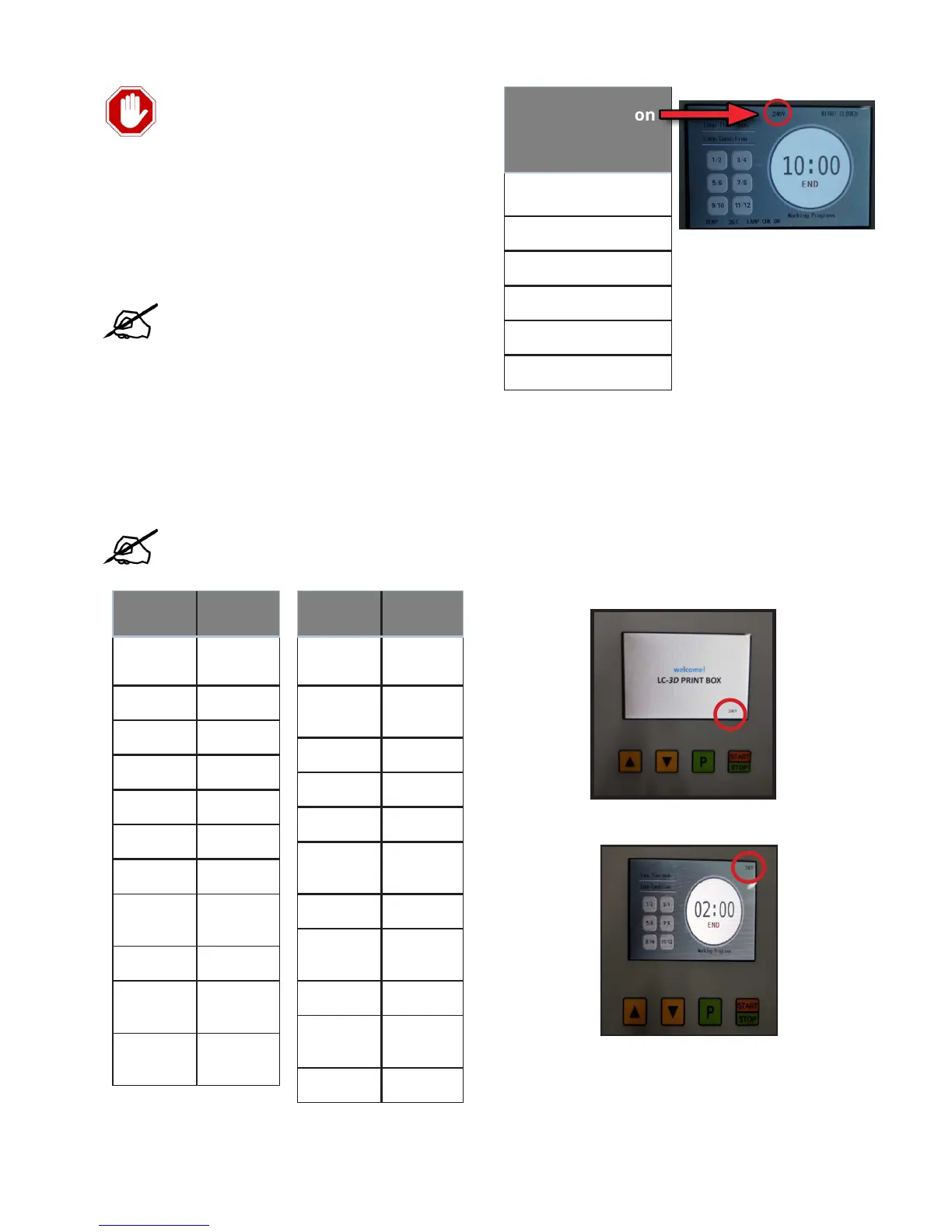
After print box is turned on, the pre-set voltage
appears at lower right corner of welcome screen. It
will also display on the main screen in the upper right
corner.


 To Next Page