Page 7 of 10
Operation
-
-
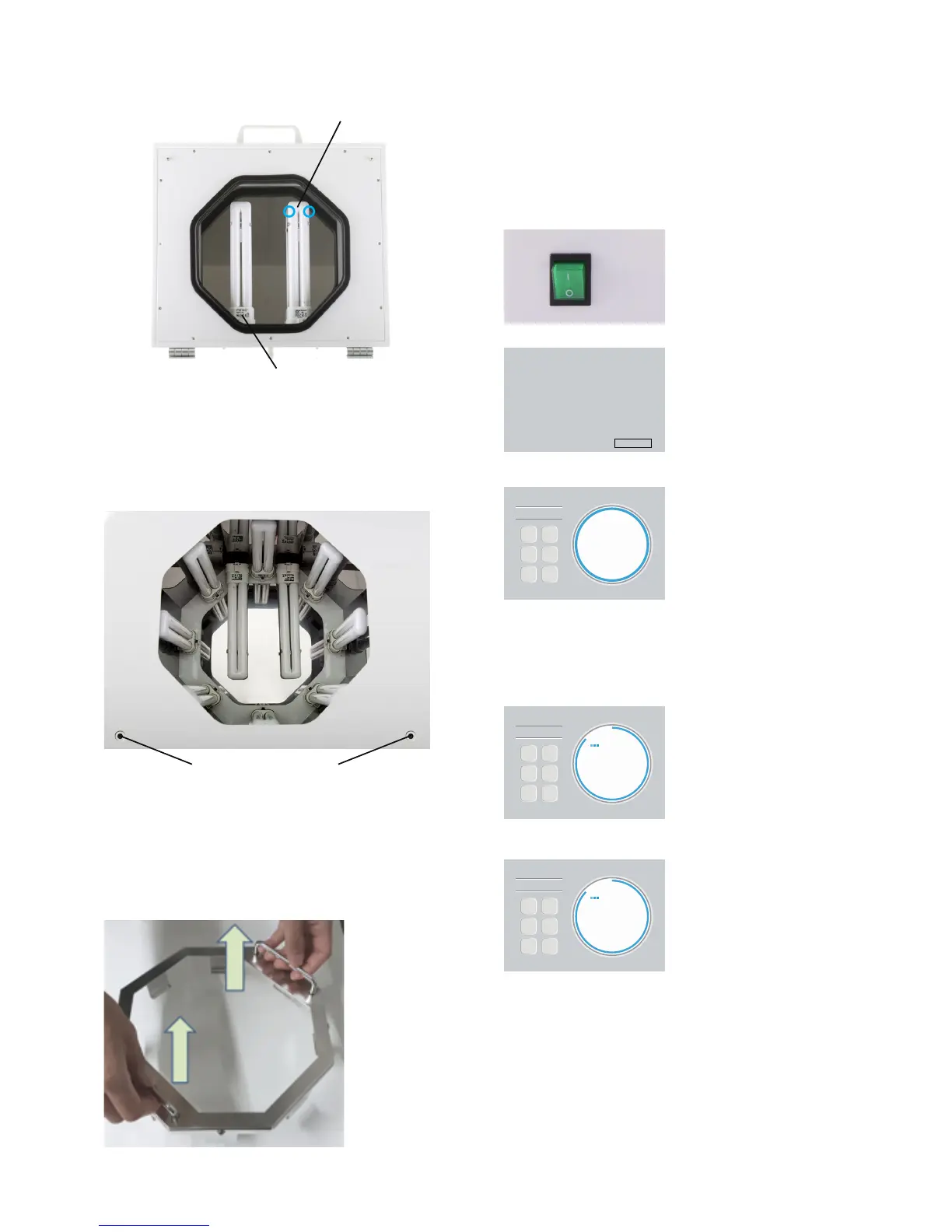
Please put the bottom plate with glass insert inside
the chamber and put a printed and cleaned object
on the glass.
Then operate the machine according to the follow-
ing program operations and the instructions for use
of the material used for printing the part.
Starting mode
Press the power switch
(green button) on the right
side of the machine.
When switching on the
machine,
the version information will
appear in the display.
After 5 seconds, the last
operation
time will appear on the
display.
Operation Mode
When the last operation time
has appeared on the display,
the user can choose a preset
time by holding the program
button. Or the user can
increase or decrease the oper-
ation time by pressing the
increase or decrease button.
Start the machine by
pressing
the start/stop button.
The time will count down
and the dots will be blinking.
(By pressing the start/stop
button, the operation time
will be memorized automat-
ically).
Stop the machine by pressing the start/stop button
again.
After operation time, the message ”End” will be dis-
played automatically. At the same time, the machine
beeps 9 times.


 To Next Page