Before You Begin
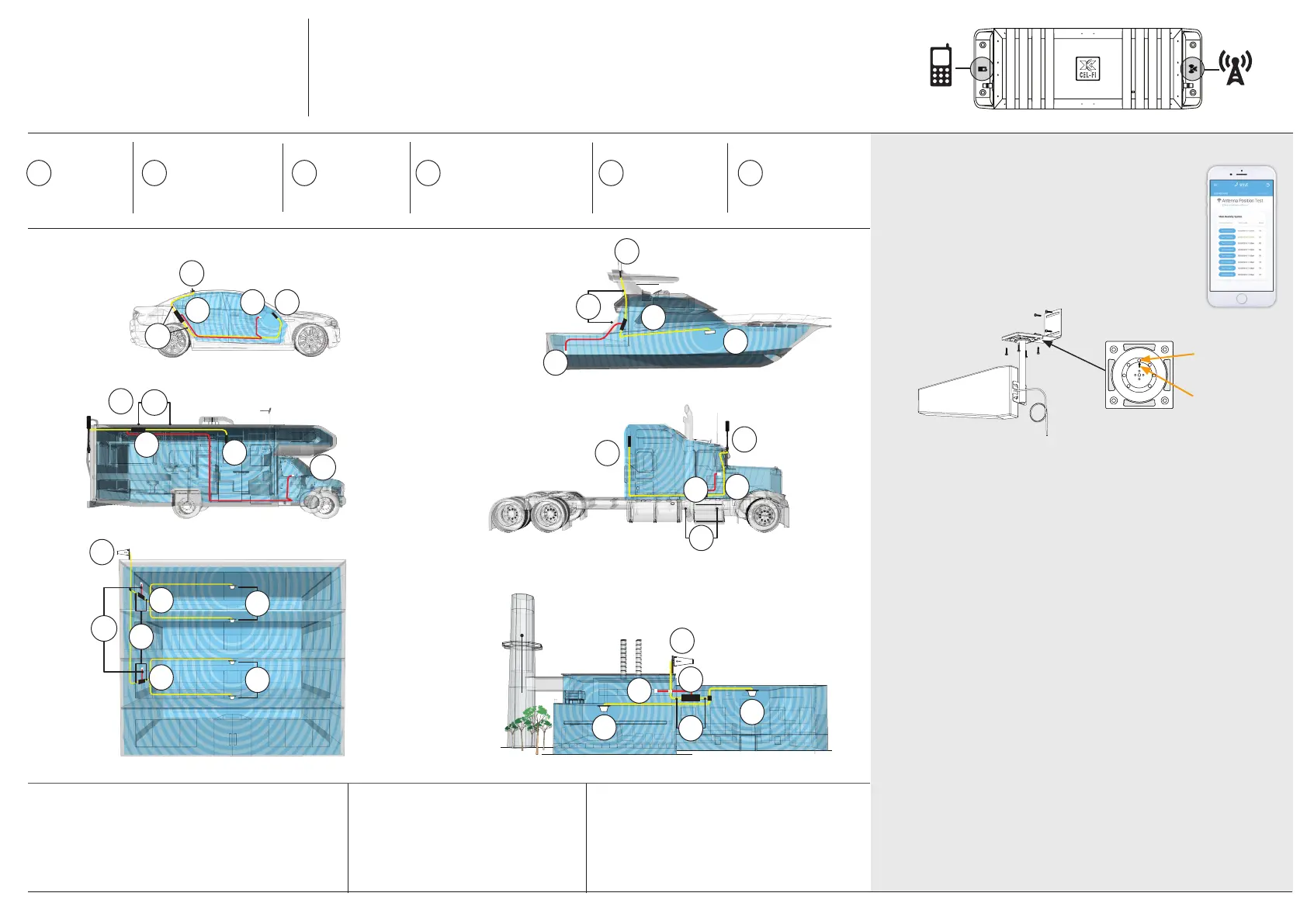
Cel-Fi GO+ All-in-One Smart Signal Booster has a Donor Antenna Port and a
Server Antenna Port. They are marked on the device with icons (see illustration).
It is critical that the Donor and Server antennas are connected to the correct port.
IMPORTANT:
Best to make sure all cable lengths support the intended mounting
location BEFORE permanent mounting.
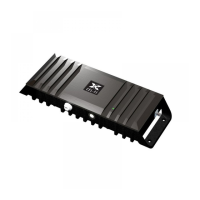
Cel-Fi GO+ All-in-One
Smart Signal Booster
Installation
SERVER DONOR
Cel-Fi GO+ All-in-One Smart Signal Booster
Change Modes Between Mobile
(65/70dB)orStationary(100dB)
1. Open Cel-Fi WAVE application
2. Go to settings tab
3. Select Booster Setting
4. Switch between mobile and stationary
ChangeCarrier/Operator
1. Open Cel-Fi WAVE application
2. Go to settings tab
3. Select Operator
4. Switch between mobile network operators
Change Between Modes and Carriers
IMPORTANT: Cel-Fi GO+ All-in-One Smart Signal
Booster ships with a mode and operator selected,
but some versions can be changed via Cel-Fi WAVE.
Install Server
Antenna*
*Sold Separately
2
Connect Donor
& Server Antennas
to the Cel-Fi GO+
4
Activate &
Setup with
Cel-Fi WAVE
6
Mount
Cel-Fi GO+
3
An AC or
12V Power
Source
5
Install
Donor
Antenna
1
4
1
2
5
3
2
3
1
5
4
1
3
5
2
2
4
5
1
2
3
4
5
2
1
3
4
Point & Optimize Antenna
For stationary applications, Cel-FiGO+XIndoor/
Outdoor Solution with AntennaBoost integrates
the Cel-Fi Antenna with the Cel-Fi WAVE Platform
to provide the best donor signal in the industry.
Nextivity’s proprietary 8-position dial base enables
the antenna to be rotated in 45-degree increments
for best performance, optimized with real time data
from the Cel-Fi WAVE Antenna Position Test.
Install Tips for Donor Antenna
• Install antenna at least 12 inches from any other antennas for
best performance
• Antenna should be free of obstructions
• Antenna should be away from windows (including sunroof or
other openings)
• Install 8 inches away from any people
• For best performance make sure there is 50 cm of metal
around the base of the antenna
Install Tips for Server Antenna
• For best results, install Donor and Server Antennas such that
there is substantial material between the antennas. This will
create isolation and allow the system to perform at higher gain
without oscillation or feedback
• Keep Donor and Service Antennas separated/isolated from
each other for best performance
• Do not use cable splitters for Donor Antennas
• Follow the installation instructions for your chosen antennas
• The power supply is not NEMA 4 rated
Tips for Mobile Mounting:
• Location should have airow (for cooling) and be secure from
contact with external objects
• Make sure the unit is within cable range of the 12V power
supply on your vehicle
2
2
1
3
3
4
5
Antenna
Antenna Mount
1
2
3
4
5
6
7
8
8-Position Dial
Position
Set Screw
1
2
3
4
5
6
7
8
1
2
3
4
5
6
7
8
Position
Arrow
» https://www.signalbooster.com/pages/contact-us
» order@signalbooster.com
» 1-855-846-2654


 To Previous Page
 Loading...