
 Need help?
Do you have a question about the Nextron CB-500BT and is the answer not in the manual?
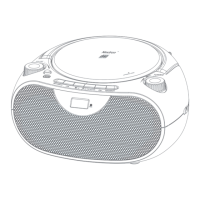
Details the top panel components including FM Telescope Antenna, VOLUME knob, and control buttons.
Selects the CD player as the audio source for playback.
Selects the USB port as the audio source for playback.
Enables Bluetooth pairing for wireless audio streaming.
Selects the AM radio band for tuning stations.
Selects the FM radio band for tuning stations.
Instructions for correctly placing a CD into the player.
Details how to tune AM and FM radio stations, including preset functionality.
This document describes the Nextron CB-500BT portable boombox, a versatile audio device offering multiple playback options and user-friendly controls.
The Nextron CB-500BT is a portable audio system designed for playing various media formats and receiving radio broadcasts. Its primary functions include:
While specific numerical specifications like frequency ranges, output power, or Bluetooth version are not explicitly detailed in the provided manual, the following can be inferred:
The Nextron CB-500BT is designed for ease of use with several intuitive features:
The manual does not explicitly detail maintenance features such such as cleaning instructions or battery replacement reminders beyond the initial installation. However, the design suggests standard care for electronic devices:
In summary, the Nextron CB-500BT is a comprehensive portable boombox offering a blend of traditional and modern audio playback options, designed with user convenience and portability in mind.

 To Next Page
 General