13
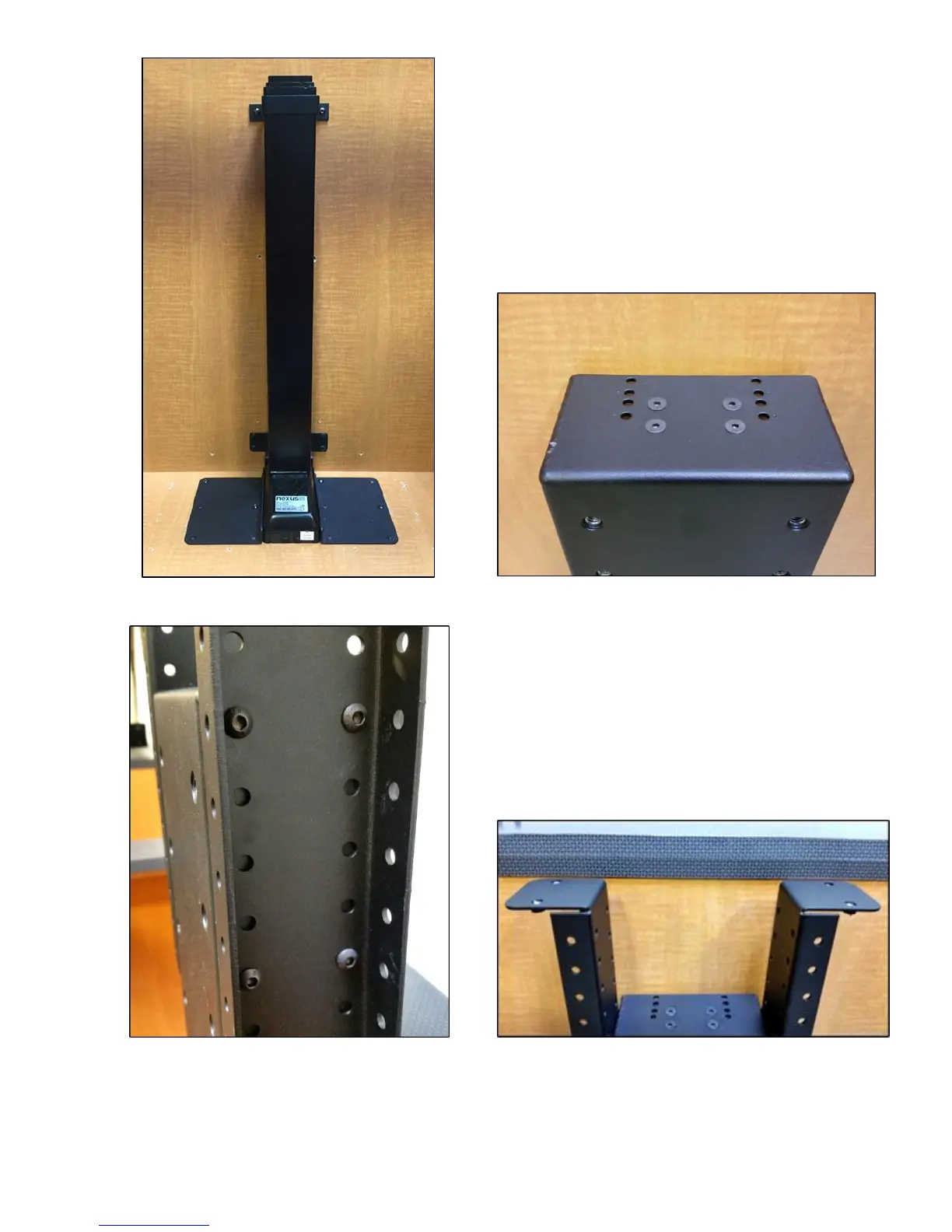
Step 9: Mount the Screen Support to the lift column.
Using (4) 6mm x 16mm FHMS attach the Screen
Support to the top of the lift column, using the four
innermost holes. You may extend the lift at this time
to make the install of the Screen Support Bracket
easier.
Step 10: Attach Top Support Brackets to each
side of the Screen Support Bracket. Using (8)
6mm x 12mm BHMS attach the Top Support
Brackets to the sides of the Screen Support
Bracket (4 Screws per side). Make sure the
Top Support Brackets are no more than ¾”
from the bottom side of the lid catches, when
the lift is fully retracted.
Step 11: Attach the Top Plate to the Top Support Brackets. Using (4) 6mm x 16mm FHMS attach the Top Plate
to the Top Support Brackets. The Top Plate has adjustable wings, to allow more support for larger lids.


 To Next Page