11
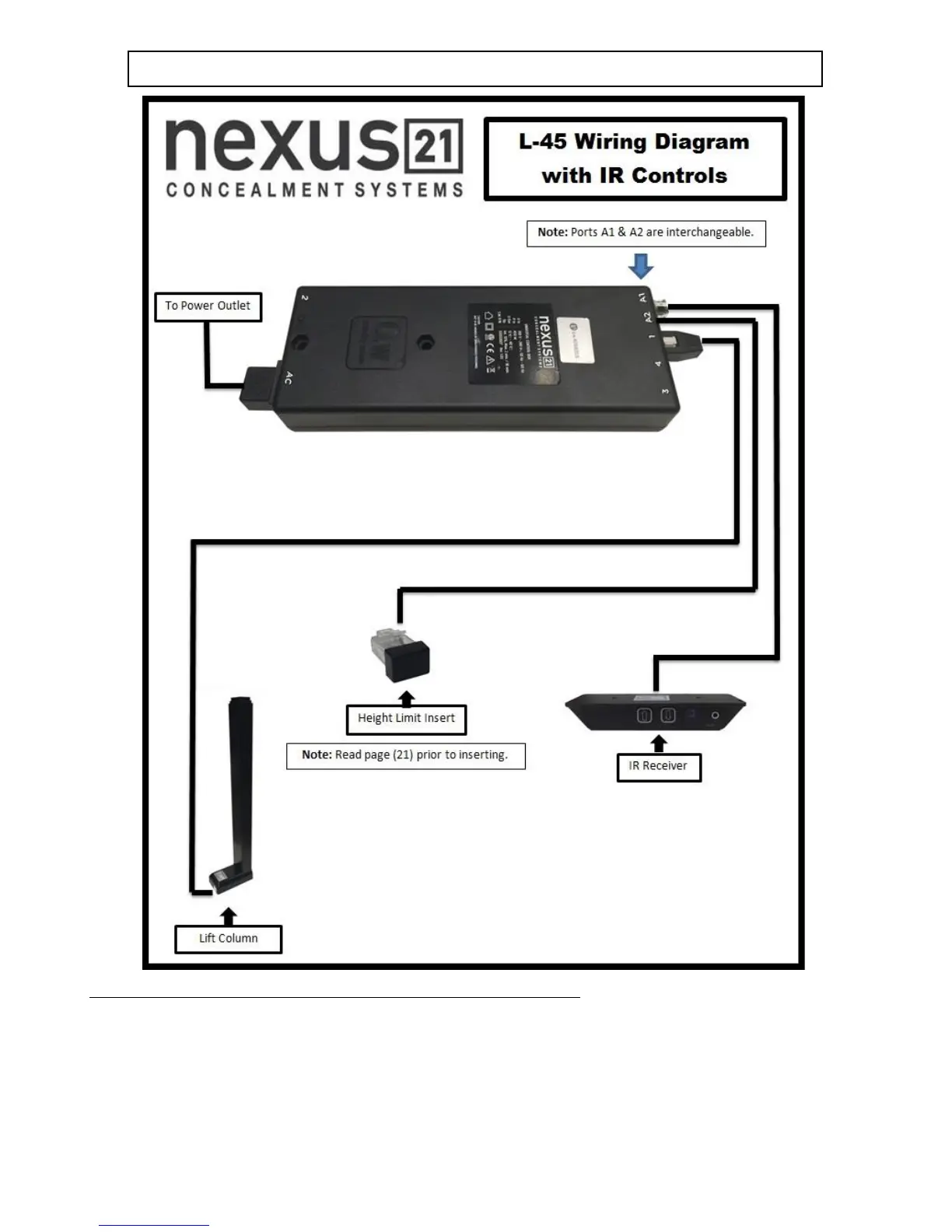
IF YOU HAVE IR CONTROLS, USE THIS DIAGRAM (for RF Controls, see the following page)
Once you have connected the controls, test the Lift Column as follows:
First, you need to “initialize” the Lift System. If you have already raised the Lift Column, lower it again, since this step must be
performed in the “down” position. Find the Wired Backup Switch, which has two triangle-shaped buttons - an UP (with raised dot) and
a DOWN. Press the DOWN button and HOLD IT DOWN for approximately 5 seconds. You should see a slight movement in the Lift
Column. If you do not see the movement, release the Down button, and repeat the process - press and hold the Down button again for
5 seconds. Once you have seen the slight movement, the Lift System is now functional. Test it by pressing the Up button (no need to
hold the Up button) and the lift will go up. You may let it go to the top, or stop it at any time by pressing the Down button.


 To Next Page