18
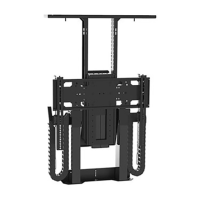
Step 19: Attach the Vertical Mounting Bars
to the TV. Before you begin, hand thread
screws (found in bag labeled “TV Mounting
Screws/Spacers”) into the threaded inserts
on the back of your TV to determine the
correct screw diameter (M6 or M8). The
length of the screw required will depend on
whether the TV has a flat/unobstructed or
irregular/obstructed back. Follow diagram
“A” for TV’s with flat/unobstructed back.
Use diagram “B” for TV’s with irregular/
obstructed back. The diagrams can be found
on the following page.
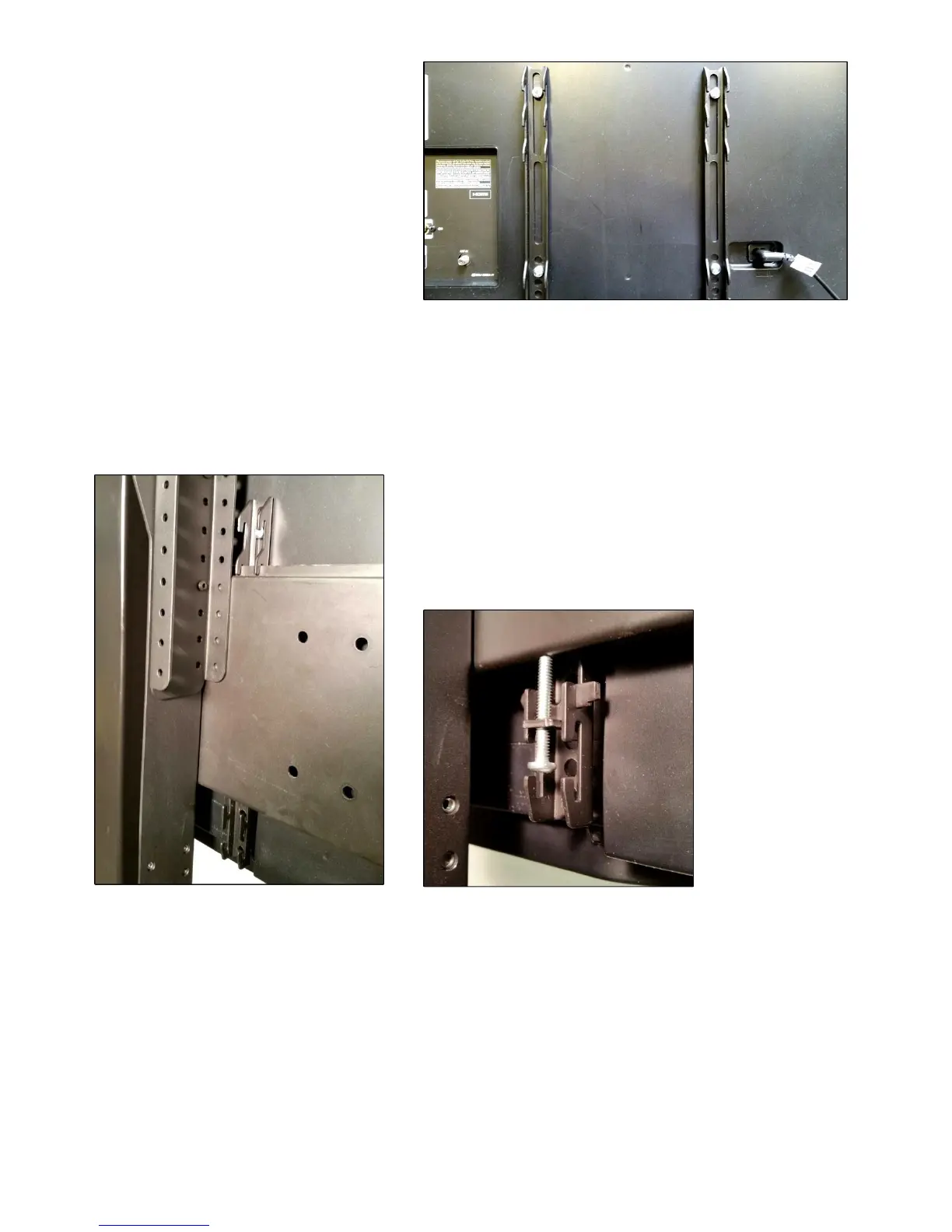
Step 20: Mount the TV (with the Vertical Mounting Bars attached) to the Screen Back Plate. Each Vertical
Mounting Bar has “hooks” on either end that allow the bars to “hang” on the Screen Back Plate. Lift the TV
onto the Screen Back Plate. Center the TV. Be sure that both the upper and lower set of “hooks” fully engages
with the Screen Back Plate.
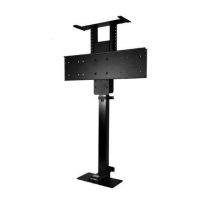
Step 21a: Insert the Screen Locks into both Vertical
Mounting Bars. The Screen Locks will be placed into the
lower “hook” that is just below the Screen Back Plate.
Step 21b: Using a Phillips head screwdriver, tighten both
Screen Lock screws into the underside of the Screen Back
Plate. This will lock your TV onto the TV Lift. You have now
successfully attached your TV.
Step 22: Do a final wire management check. Test operate the Lift and be sure that all wires are clear of the
Lift so they do not get “hung up” when the TV is moving either up or down.
Congratulations your L-45 Lift System is now completed!


 To Next Page