12
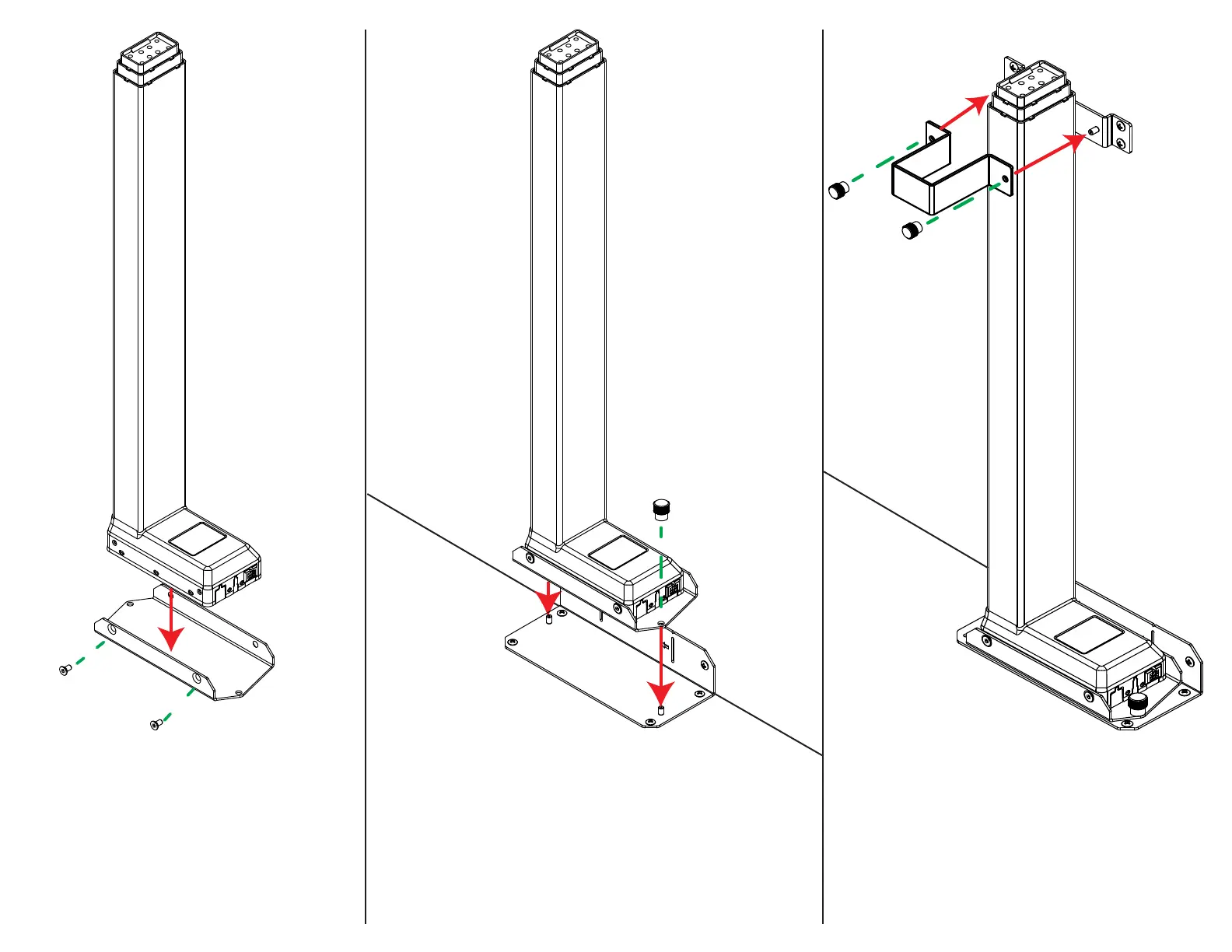
5. Slide the Column Clamp Extension around the front of
the lift column and secure it to the Column Clamp Base
using (2) Thumb Screws.
4b. Attach the Lift Column Assembly to the Base Mount using (2)
Thumb Screws. Ensure the foot of the column is facing the same
direction as the CB Side.
4a. Attach the Lift Column Mount to the base of
the Lift Column using (4) M6 x 12 FHMS



 To Next Page