22
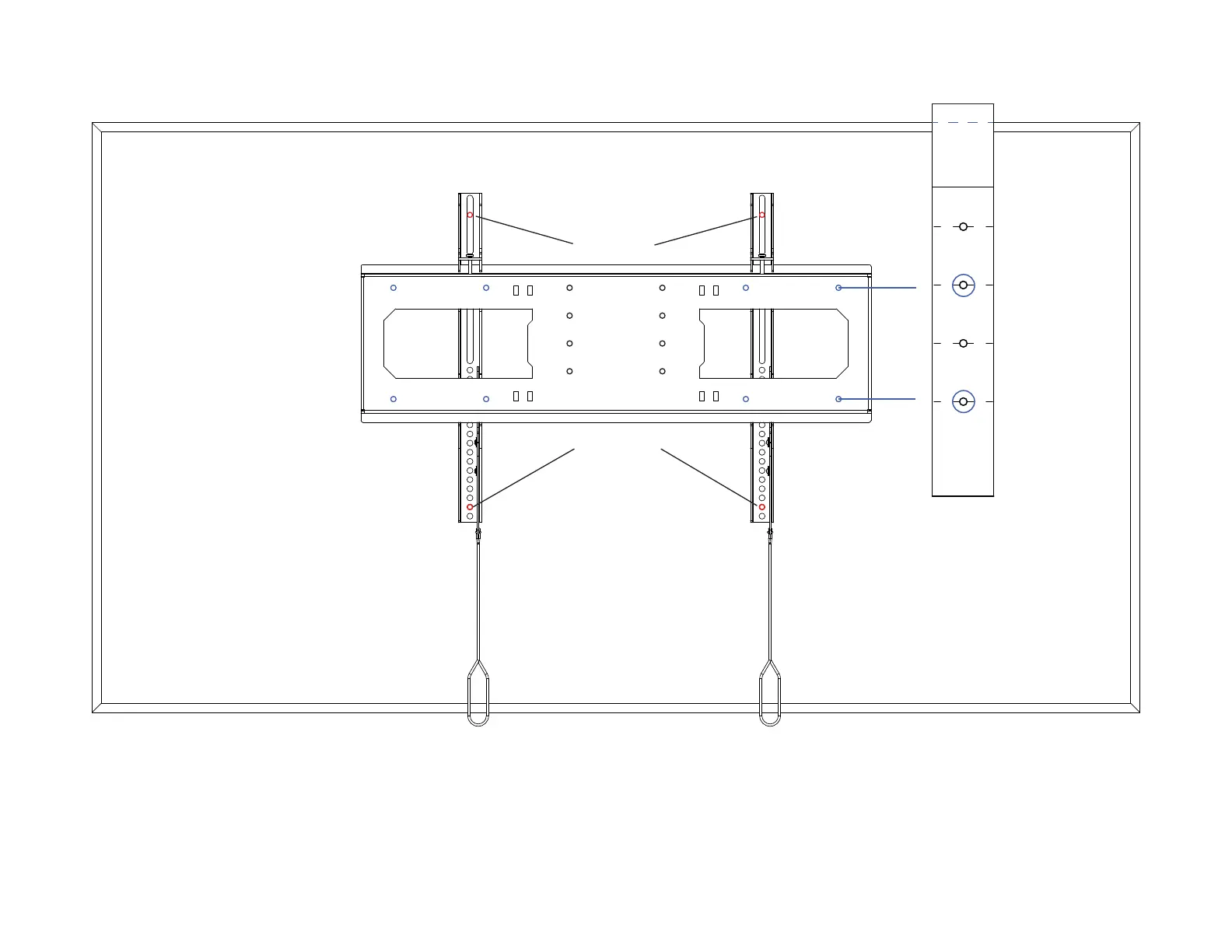
TV VESA Holes
TV VESA Holes
14a. Align the line you just drew with the top of the TV.
14b. Attach the Vertical Mounting Bars to the Screen Backplate, ensuring the spring-loaded latch on each Vertical Mounting Bar is engaged against the Screen Backplate.
14c. Place the Vertical Mounting Bars and Screen Backplate on the back of the TV, position the Vertical Mounting Bars over the VESA holes.
14d. Adjust the vertical position of both until (2) of the holes on the Screen Backplate line up with the lines on the template and the Vertical Mounting Bars align with the VESA
holes on your TV. If needed, use the Vertical Mounting Bar Extensions included with the Vertical Mounting Bars.
14e. Mark the holes for the Screen Backplate and the hole for mounting your TV on the Vertical Mounting Bars.



 To Next Page