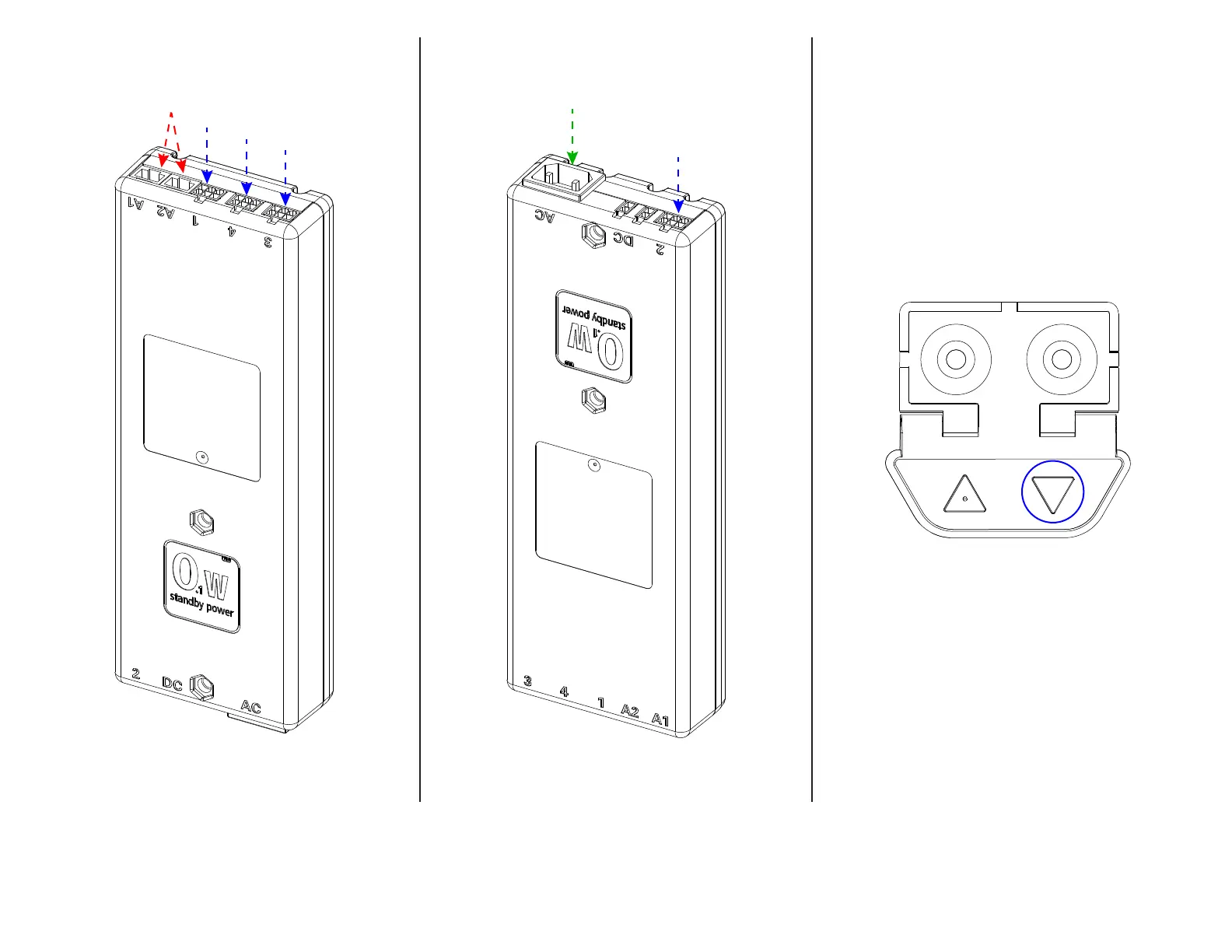
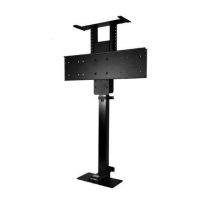
12a. Connect all (4) Motor Cables to their corresponding ports on the Control Box. Cable #1 to Port 1, Cable #2 to Port 2, etc.
12b. Connect the Power Cord to the AC Port and the Backup Switch to Port A1 or A2.
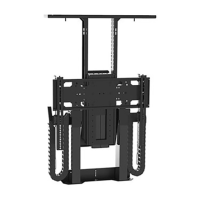
12c. Tap the Down button on the Backup Switch, release, then press and hold it for 5 seconds to perform an ‘Initialize’. During this time, you should observe a
slight movement from your system indicating it has successfully been initialized. If you do not observe this movement, repeat this step.
21


 To Next Page