Copyright 2020 ©, Nexus 21 Technology in Motion
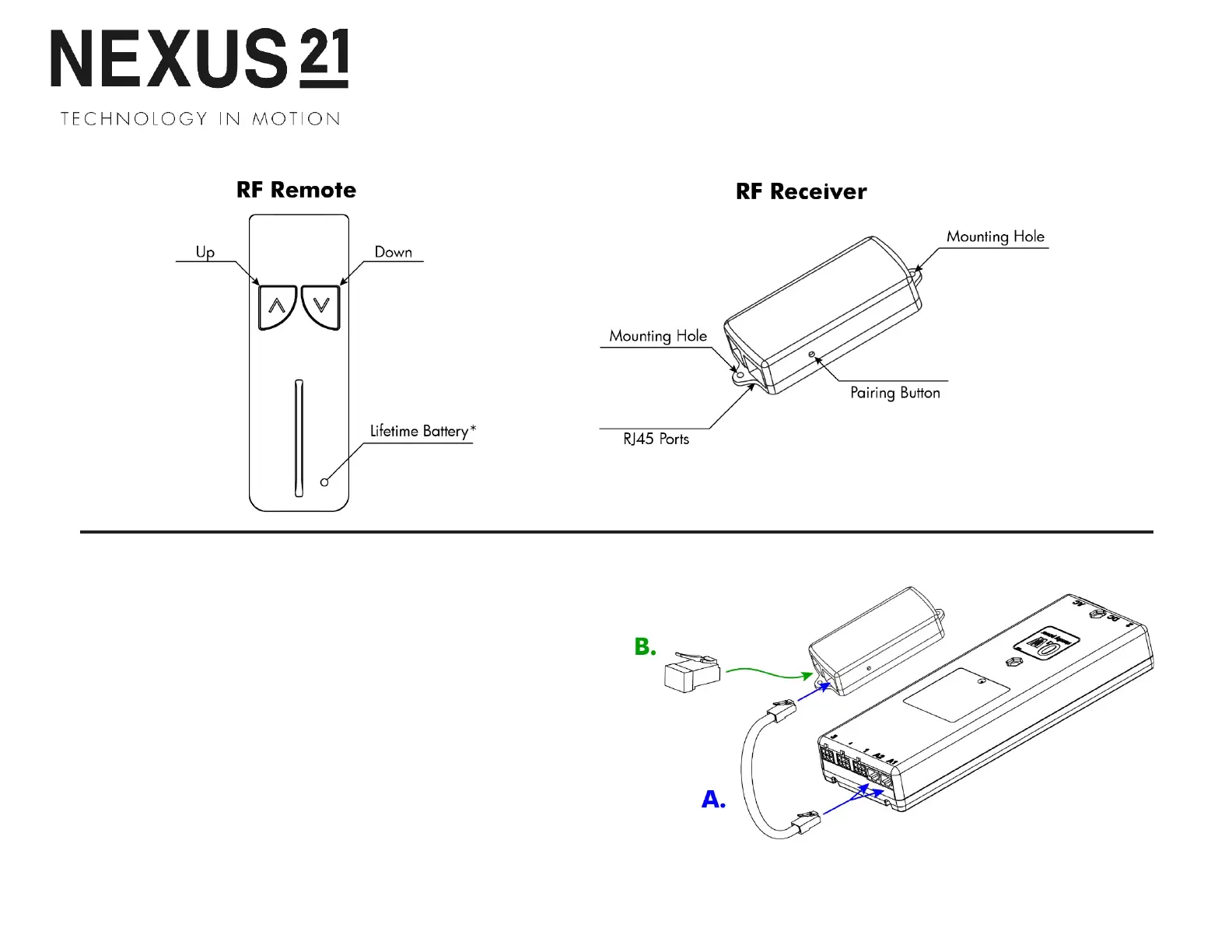
A. Connect the RF Receiver
Connect one end of the RJ-45 Cable to port A1 or A2 on the
Control Box and the other end to the RF Receiver.
B. Setting a Height Limit (Optional)
Use the RF Remote to run your system to the desired extended
position, then plug the Height Limit Insert into the RF Receiver.
Note:
This will set the maximum extension for your system, to
reset this, remove the Height Limit Insert and repeat these steps.
46


 To Next Page