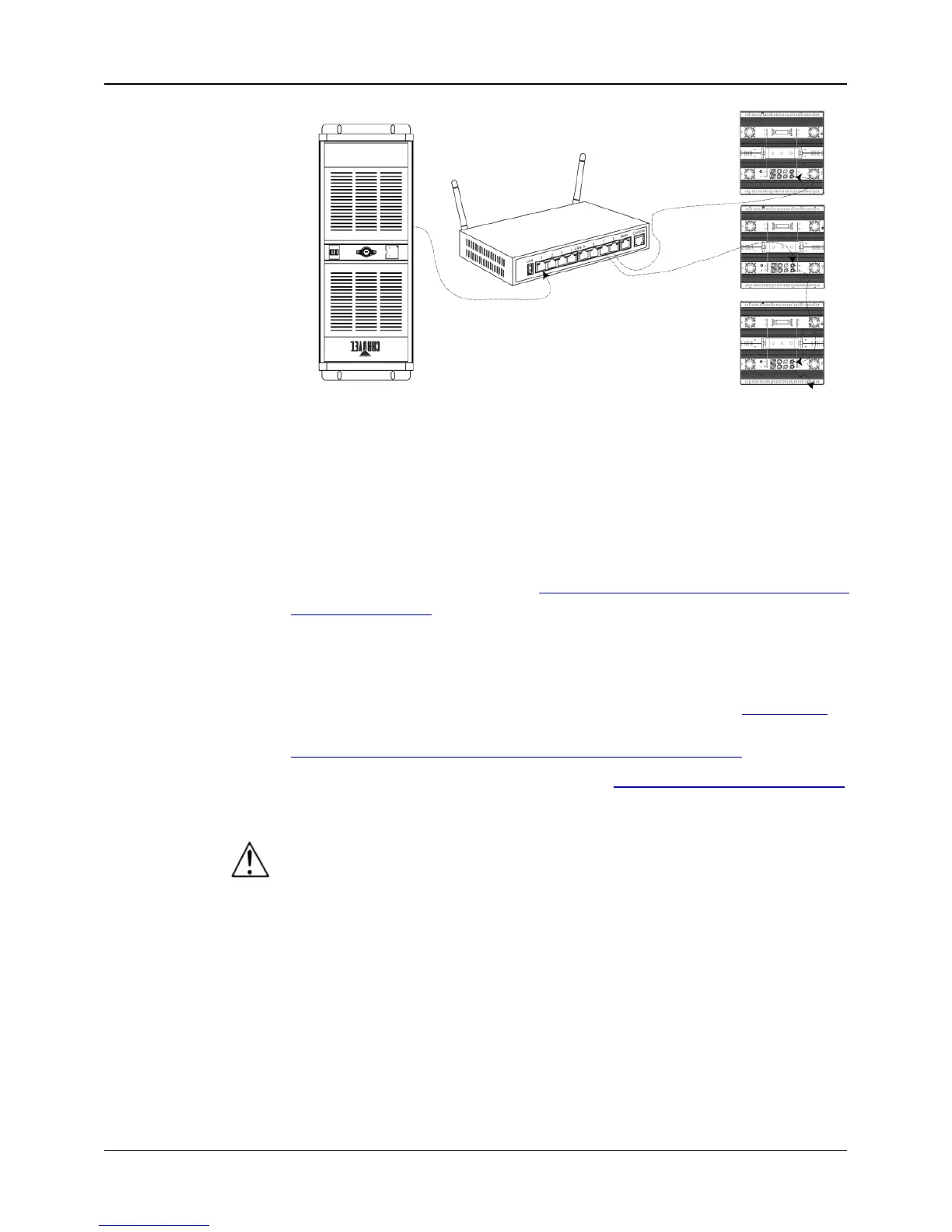
Kling-Net is a network protocol that uses TCP/IP to send DMX
over a network and into the Neutrik® etherCON® connection ports
of the Nexus™ 4x4 panels. Kling-
Net works seamlessly with
Kling-Net-supported ArKaos software
for configuring and mapping
display devices. For more information, see the User Manual on the
CHAUVET® website at http://www.chauvetlighting.com/product-
manuals-literature/.
Art-Net™ is an Ethernet protocol that uses TCP/IP to send DMX
signals over a network and into the Neutrik®
ports of the Nexus™ 4x4 panels. Art-
Net™ requires configuration
through the control panel. For more information, see the Menu Map
in
this QRG or the User Manual on the CHAUVET® website at
http://www.chauvetlighting.com/product-manuals-literature/.
An Art-Net™ Primer is available from www.chauvetprofessional.com
Art-Net™ is designed and copyrighted by Artistic Licence Holdings Ltd.
Nexus™ 4x4 panels do not work with Art-Net™ controllers sending in
Broadcast mode. For information about the controller’s mode, see the
controller’s User Manual.
1. Disconnect the Nexus™ 4x4 from power.
2. Press and hold <MENU> and <ENTER> simultaneously.
3. Reconnect the Nexus™ 4x4 to power.
4. Release <MENU> and <ENTER>. The words Factory reset?
ENTER = Confirm show on the display.
5. Press <ENTER>.
NOTE: Do not use the router WAN port!
Running TCP/IP-based
protocol, such as Kling-



 To Next Page
 Loading...