1. Charge the battery
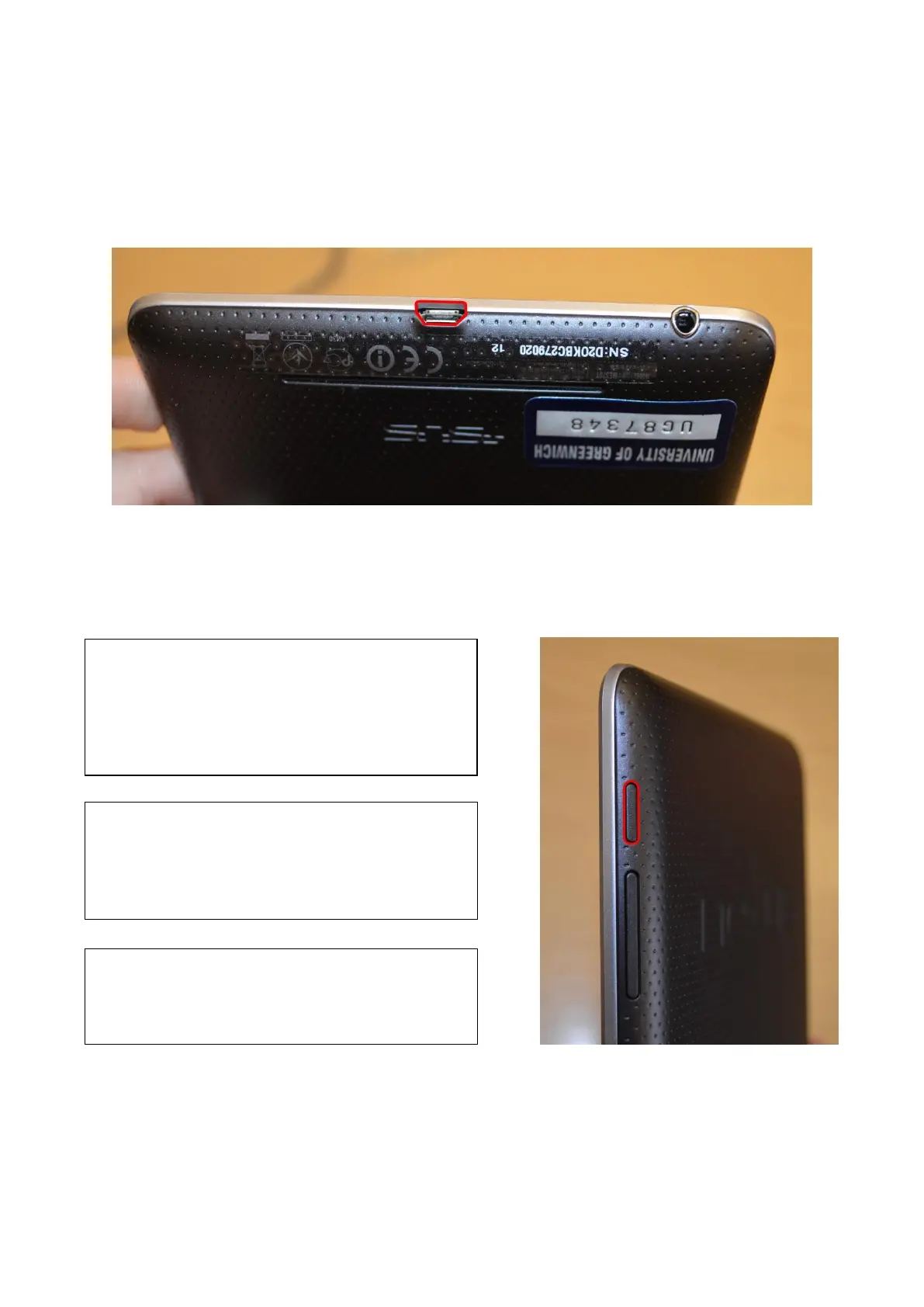
Connect the micro USB cable to Nexus 7 and to the charging unit. Then connect the charging unit to
a power outlet.
2. Turn on and off
To turn on your Nexus 7:
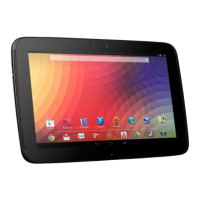
Press and hold the Power button on the right edge
near the top for four seconds.
When Nexus 7 is on, press the power button again to
put it into sleep mode or wake it up.
To turn off your Nexus 7:
Press and hold the power button until a confirmation
dialogue appears. Then touch OK to complete the
shutdown.
To restart your Nexus 7 if it becomes unresponsive:
Press and hold the power button for at least 10
seconds.


 To Next Page