
 Need help?
Do you have a question about the Nexxt Solutions NHA-P610 and is the answer not in the manual?
User registers an account using their email address for the Nexxt Home app.
User inputs the verification code sent via email to confirm their account.
User creates a secure password for their Nexxt Home account.
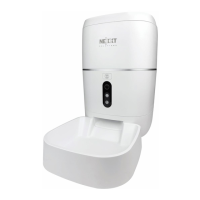
Connects the smart pet feeder device to the Nexxt Home app after installation.
Allows the user to rename the smart pet feeder for personalized identification.
Shows technical details of the pet feeder, including IP address and device ID.
Configures core features like screen flip and audio communication modes.
Enables and customizes motion detection sensitivity and scheduling for alerts.
Manages the microSD card for local recording, capacity, and recording modes.
Enables granting access to the smart pet feeder to family members or friends.
Provides answers to common queries regarding the device's operation.
Allows users to submit technical problems or suggestions for improvement.
 General
| Product Type | Automatic Pet Feeder |
|---|---|
| Capacity | 6L |
| Color | White |
| Backup Power | 3 x D batteries (not included) |
| Material | Plastic |
| Programmable Feeding | Yes |
| Portion Control | Yes |
| Voice Recording | Yes |
| Dimensions | 32 cm |
| Weight | 2.2 kg |

 To Next Page